Agents
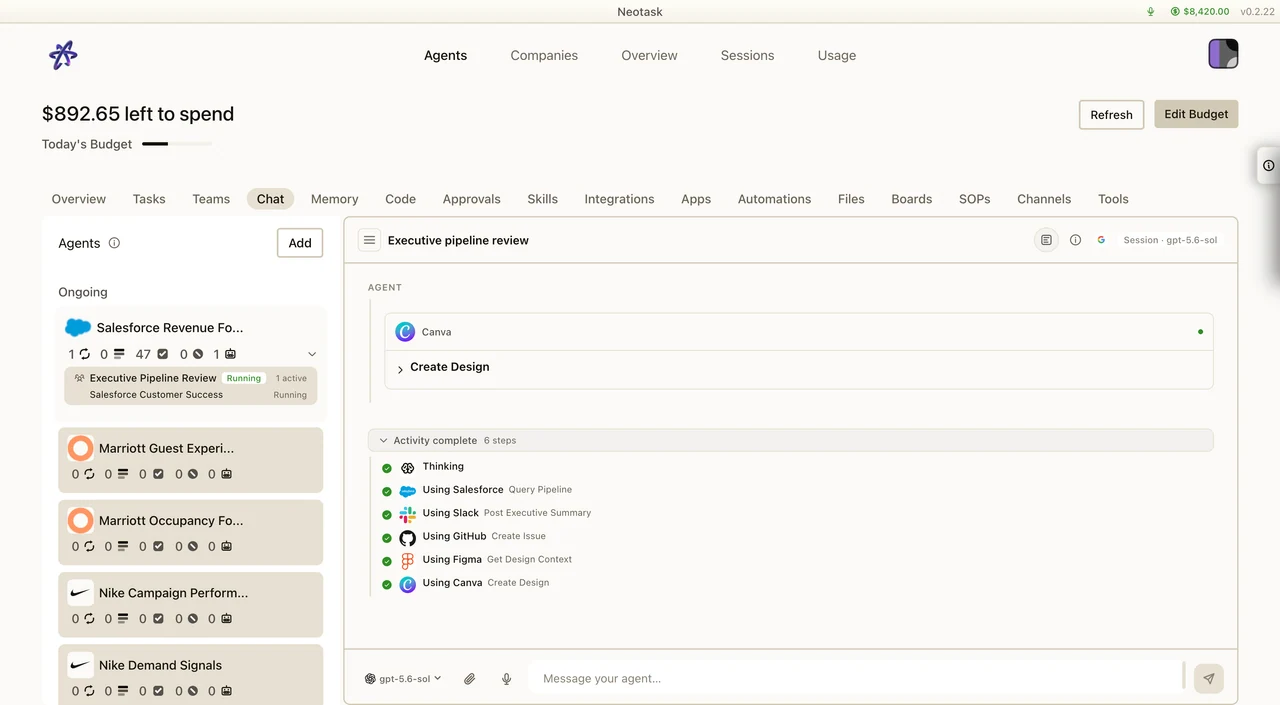
See An Agent At Work
- Open Agents.
- Select an agent.
- Use Chat to start work or continue a session.
- Open the activity drawer to inspect the apps and tool calls used during the run.
What Are Agents?
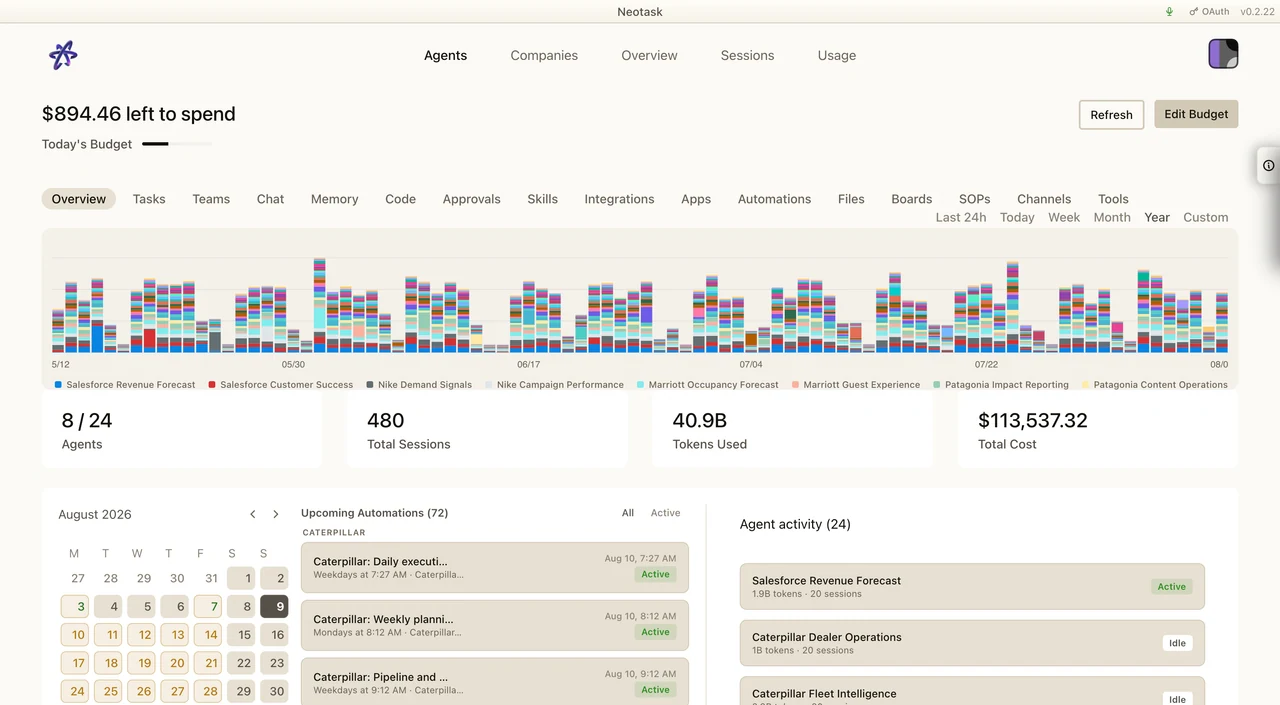
The overview brings scheduled work, session totals, and current agent activity together. Use it to inspect the workspace before opening an individual session.
Agents are isolated AI assistants that reason through problems, execute tasks, and communicate across multiple platforms. Each agent has its own workspace, session history, model configuration, and channel bindings.
Agent Isolation
Every agent gets:
- Workspace, A dedicated directory for files, notes, and agent-specific data
- Sessions, Independent conversation history and transcripts
- Configuration, Model selection, tool permissions, spend limits
- Identity, A unique persona defined in the agent's
AGENTS.mdfile - Auth Profiles, Per-agent API key and authentication configurations
Agent Personas
Each agent's workspace contains an AGENTS.md file that defines personality, instructions, and behavioral guidelines. This persistent system prompt shapes how the agent responds, tone, domain expertise, formatting, tool usage, and safety policies.
Multi-Agent Routing
When running multiple agents, inbound messages are routed automatically based on bindings:
- Channel binding, Route all messages from a platform (e.g., all Telegram →
personalagent) - Server/workspace binding, Route a specific Discord server or Slack workspace to a dedicated agent
- Chat type binding, Route private messages to one agent and group messages to another
- Contact/peer binding, Route messages from specific contacts to specific agents
Bindings are evaluated in priority order. First match wins. Unmatched messages go to the default agent.
Sub-Agents & Delegation
Agents can spawn sub-agents for specialized tasks:
- Task delegation, Break down complex tasks and delegate parts to specialized sub-agents
- Isolated execution, Sub-agents run in their own session context
- Ping-pong conversations, Agents can have back-and-forth exchanges (up to 5 turns) to collaborate
- Result announcement, Sub-agent results can be posted back to the original channel
Teams & Orchestration
Multi-agent teams enable coordinated workflows:
- Parallel execution, Run multiple agents simultaneously on different aspects of a task
- Sequential pipelines, Chain agents where each builds on the previous output
- Hybrid mode, Combine parallel and sequential execution
- Task tracking, Monitor status of each agent's work (queued, running, done, error, canceled)
Tool Profiles
Control what each agent can do:
| Profile | Tools Available |
|---|---|
| minimal | Session status only |
| coding | File I/O, execution, sessions, memory, images |
| messaging | Message sending, session history |
| full | All tools (default) |
Custom allow/deny lists can be set per agent and per model provider.
Safe Mode
Safe Mode provides an execution sandbox:
- Master toggle, Enable or disable globally
- Per-agent controls, Disable for trusted agents, keep on for others
- Execution approval, Sensitive operations require explicit user approval
- Policy sync, Settings synchronized across all connected clients in real time
Agent Memory
Each agent has access to a memory system:
- MEMORY.md, Persistent notes and important information across sessions
- Memory files, Additional structured knowledge in
memory/ - Vector search, Search memory using natural language queries
See Sessions & Memory for details.