Automation & Scheduling
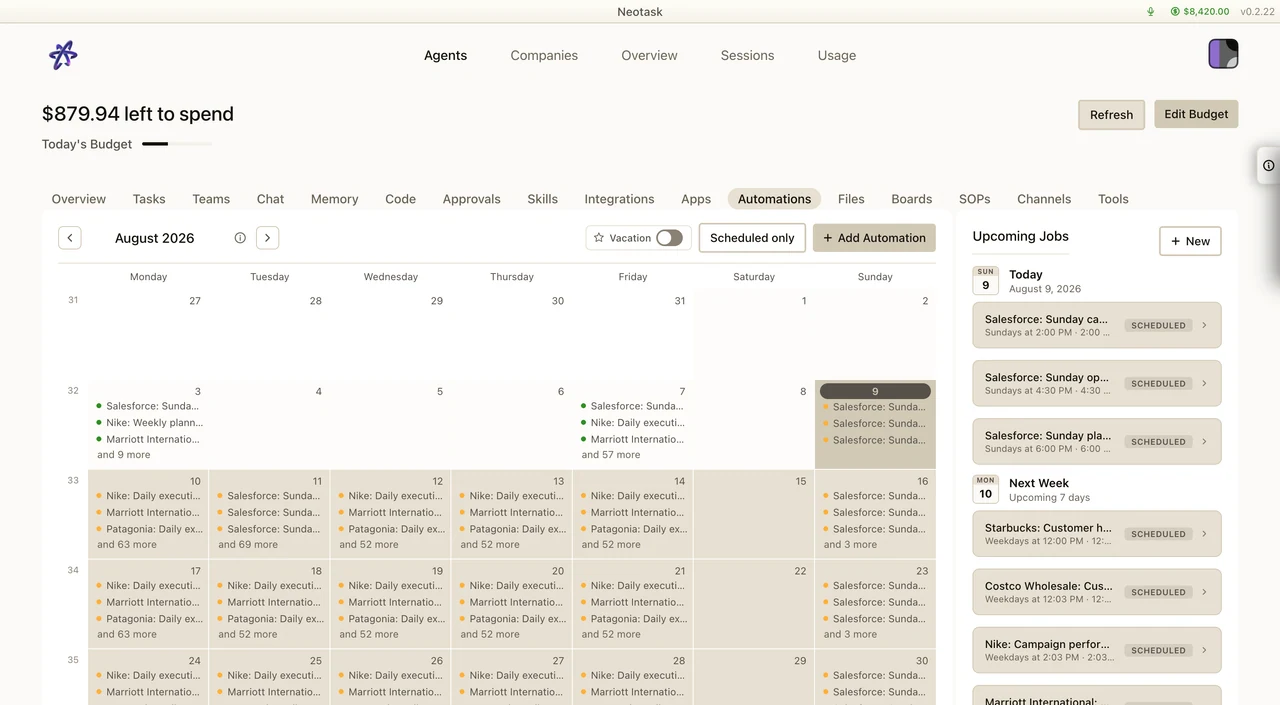
Create And Check An Automation
- Open Automations in the agent workspace.
- Select New.
- Choose a schedule, event, or one-time run.
- Set the task and delivery destination.
- Save it, then open the run history after the first execution.
Cron Jobs
Schedule agent wakeups with precise timing. Cron jobs persist across Gateway restarts and support flexible scheduling patterns.
Schedule Types
| Type | Description | Example |
|---|---|---|
| Cron expression | Standard cron syntax with timezone | 0 7 * * * (daily at 7 AM) |
| Interval | Repeat at fixed intervals | 30m, 2h, 1d |
| One-shot | Run once at a specific time | 2026-03-15T16:00:00Z |
Session Targets
- Main session, Enqueue as a system event in the agent's main conversation
- Isolated session, Run in a dedicated session (
cron:<jobId>) to avoid contaminating main conversations
Delivery Modes
| Mode | Description |
|---|---|
| None | Silent execution (no output posted) |
| Announce | Post the result back to a specific channel |
| Webhook | HTTP POST the result to an external URL |
One-Shot Reminders
Set a reminder for a specific time. The agent wakes up, processes the reminder, and optionally deletes the job after running.
Recurring Jobs
Schedule repeating tasks with cron expressions and timezone support. Jobs track their execution history (success, failure, timing).
Webhooks
Receive events from external services and route them to agents.
Gmail Pub/Sub
Integrate with Gmail's push notification system to trigger agent actions when emails arrive:
- Set up a GCP Pub/Sub topic and subscription
- Configure Gmail label filtering
- Point push delivery to your webhook URL
- Neotask receives messages and enqueues agent events
Custom Webhooks
Register HTTP endpoints that trigger agent turns when called. Useful for integrating with CI/CD pipelines, monitoring systems, or any service that can send HTTP requests.
System Events
System events are signals that wake an agent for processing:
- Immediate, Process on the next heartbeat
- Next heartbeat, Queue for the next scheduled check-in
Use system events for reactive workflows, agents wake up when something happens rather than on a fixed schedule.
Heartbeat
The heartbeat is a periodic signal (default ~15 seconds) that gives agents an opportunity to process pending work:
- Check for new system events
- Process queued messages
- Run pending automations
The heartbeat can be enabled, disabled, or configured per-agent.
Hooks
Event-driven automation that triggers shell commands or scripts in response to Gateway events:
- On message, Execute when a message is received
- On agent turn, Execute before or after an agent processes a message
- On channel event, Execute on channel-specific events (join, leave, reaction)
Hooks run on the Gateway host and have access to event context data.
Use Cases
| Scenario | Solution |
|---|---|
| Daily morning briefing | Cron job at 7 AM → agent summarizes overnight updates |
| Weekly report generation | Cron job every Monday → agent generates and emails report |
| Email monitoring | Gmail webhook → agent processes incoming emails |
| Build notifications | CI/CD webhook → agent announces build results on Discord |
| Hourly data check | Interval-based cron → agent checks dashboard and alerts on anomalies |
| Scheduled social posts | Cron job → agent drafts and posts content at optimal times |