Plugins & Skills
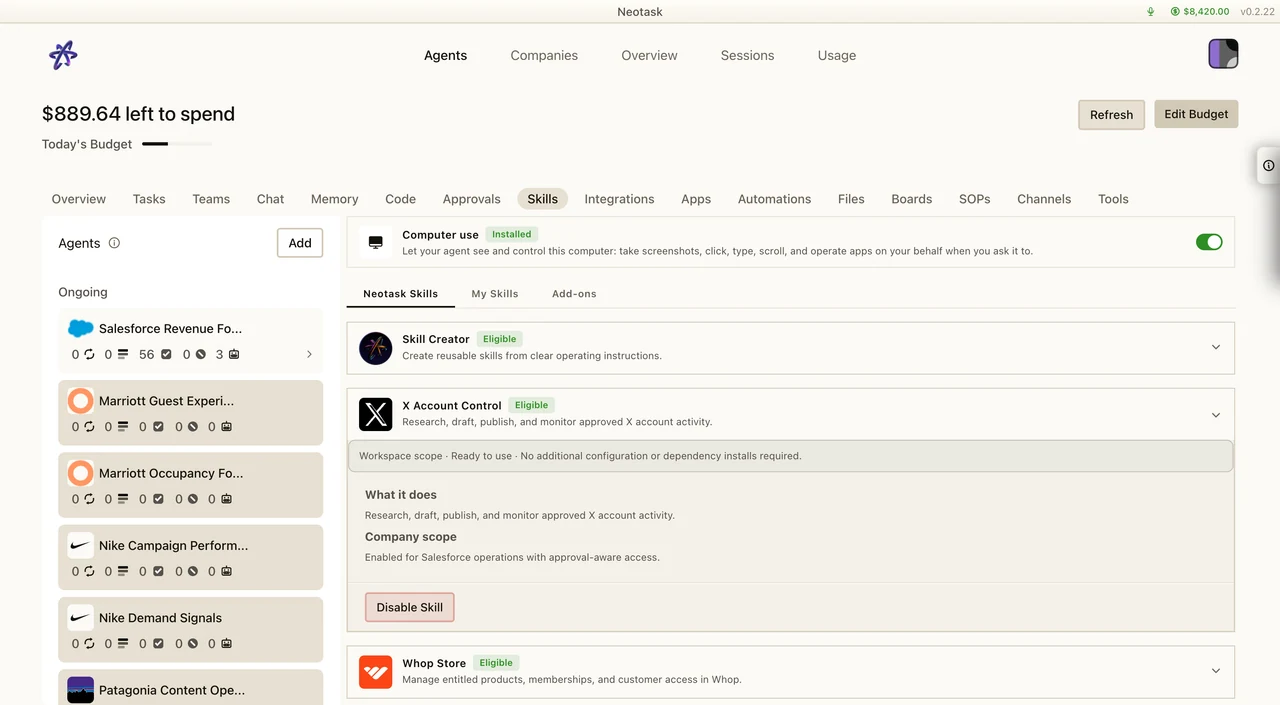
Install Or Review A Skill
- Open Skills.
- Search the catalog or open My skills.
- Review the tools and configuration the skill needs.
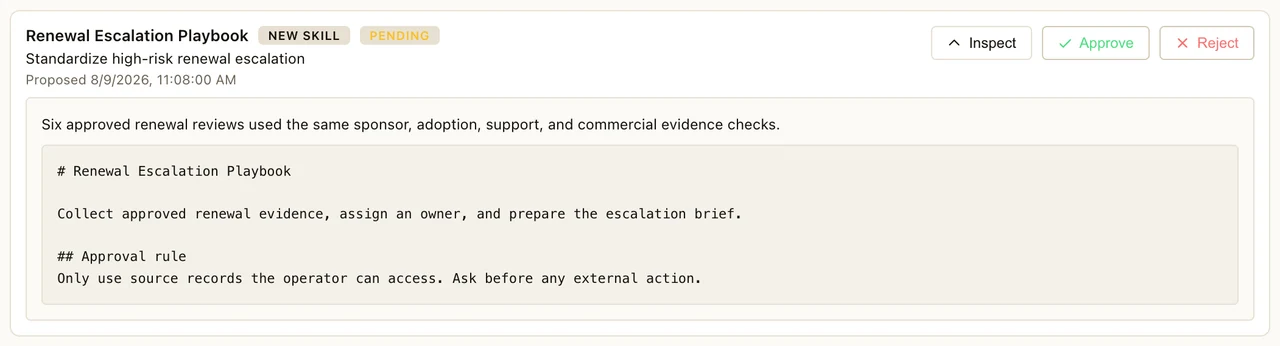
- Approve a learned skill only after checking its source and proposed behavior.
Plugins
What Are Plugins?
Plugins are TypeScript modules that extend Neotask's functionality at runtime. They can add new messaging channels, agent tools, RPC methods, CLI commands, background services, and skills.
Official Plugins
Messaging Channels:
- Microsoft Teams, Matrix, Nostr, Zalo, Feishu/Lark, LINE, Nextcloud Talk, Mattermost, Tlon, Twitch
Features:
- Voice Call, SIP telephony support for inbound/outbound voice calls
- Memory (LanceDB), Long-term memory with vector similarity search
- MCP Native, Model Context Protocol server integration for bridging external tools
Auth Providers:
- Google Antigravity OAuth, Gemini CLI OAuth, Qwen OAuth, Minimax OAuth, VS Code Copilot Proxy
Plugin Capabilities
Plugins can register:
- RPC Methods, Custom WebSocket methods for clients to call
- HTTP Handlers, Custom HTTP endpoints on the Gateway
- Agent Tools, New tools with typed schemas that agents can invoke
- CLI Commands, Additional command-line commands
- Background Services, Long-running processes managed by the Gateway
- Skills, Skill directories bundled with the plugin
- Auto-Reply Commands, Commands that execute without AI agent involvement
Plugin Security
Neotask checks plugins in several layers before they run:
- Signed and verified. Packages in the public Construct catalog are published by Neotask, inspected automatically before release and signed with Neotask's release key. Before installing one, Neotask checks the signature against keys built into Neotask and verifies the download's SHA-256 hash.
- No install scripts. Construct packages ship with their dependencies bundled, so installing one never runs a package manager or an install script. When another plugin install uses npm, install scripts are turned off.
- Scanned on install. Plugins installed from outside Construct are scanned for dangerous code, and critical findings block the install.
- Licensed per release. A Construct plugin loads only while your account holds a current grant for that release. Revoked releases do not load.
- Approvals for agent actions. Agent tool calls, including tools that plugins add, are checked against your approval policy, and actions that need your sign-off wait for it. Software an agent wants to install outside Neotask's bundled install recipes always shows you the exact command and waits for your approval.
- Optional sandbox. You can run an agent's tools in an isolated Docker container instead of directly on your computer. Sandboxing is off by default; see Security to turn it on.
Native plugins run inside the Gateway process, so a plugin you install from outside Construct is code you choose to run. Use plugins.allow to list the plugins that may load.
Skills
What Are Skills?
Skills are modular capabilities that teach agents new workflows. Each skill is a markdown file (SKILL.md) with instructions that get injected into the agent's context when relevant.
Skill Locations (Priority Order)
- Workspace skills,
<workspace>/skills/(highest priority) - Managed skills,
~/.neotask/skills/ - Bundled skills, Shipped with Neotask
- Plugin skills, Skills packaged with installed plugins
- Extra directories, Additional configured paths (lowest priority)
When multiple skills share the same name, the highest-priority location wins.
Skill Features
- User-invocable, Trigger skills directly with slash commands (e.g.,
/docker-build) - Model-invocable, Skills the agent can invoke on its own when relevant
- Command dispatch, Skills that map to specific tools
- Requirements gating, Skills only load when their requirements are met (required binaries, config keys, environment variables, plugins)
Creating Skills
When an agent proposes a learned skill, review the instructions and requested capabilities before approving it.
Create a SKILL.md file with YAML frontmatter defining the skill's metadata and instructions:
Frontmatter fields:
name, Skill identifierdescription, What the skill doeshomepage, Link to documentationuser-invocable, Whether users can trigger it directlydisable-model-invocation, Prevent the agent from invoking it autonomouslycommand-dispatch, Tool to dispatch tometadata.neotask.requires, Prerequisites (bins, config, env, plugins)
Body: Markdown instructions that teach the agent how to use the skill, including examples and guidelines.
Skills Catalog
Browse available skills in the skills catalog.
Skill Categories
Skills cover a wide range of capabilities:
| Category | Examples |
|---|---|
| Productivity | Email management, calendar, document generation |
| Development | Git operations, CI/CD, Docker, code review |
| Communication | Messaging, notifications, announcements |
| Media | Image processing, video editing, audio transcription |
| AI & Models | Model switching, prompt management, RAG |
| Smart Home | IoT device control, automation triggers |
| Utilities | File conversion, data transformation, web scraping |