Security
Check The Controls That Affect Agent Actions
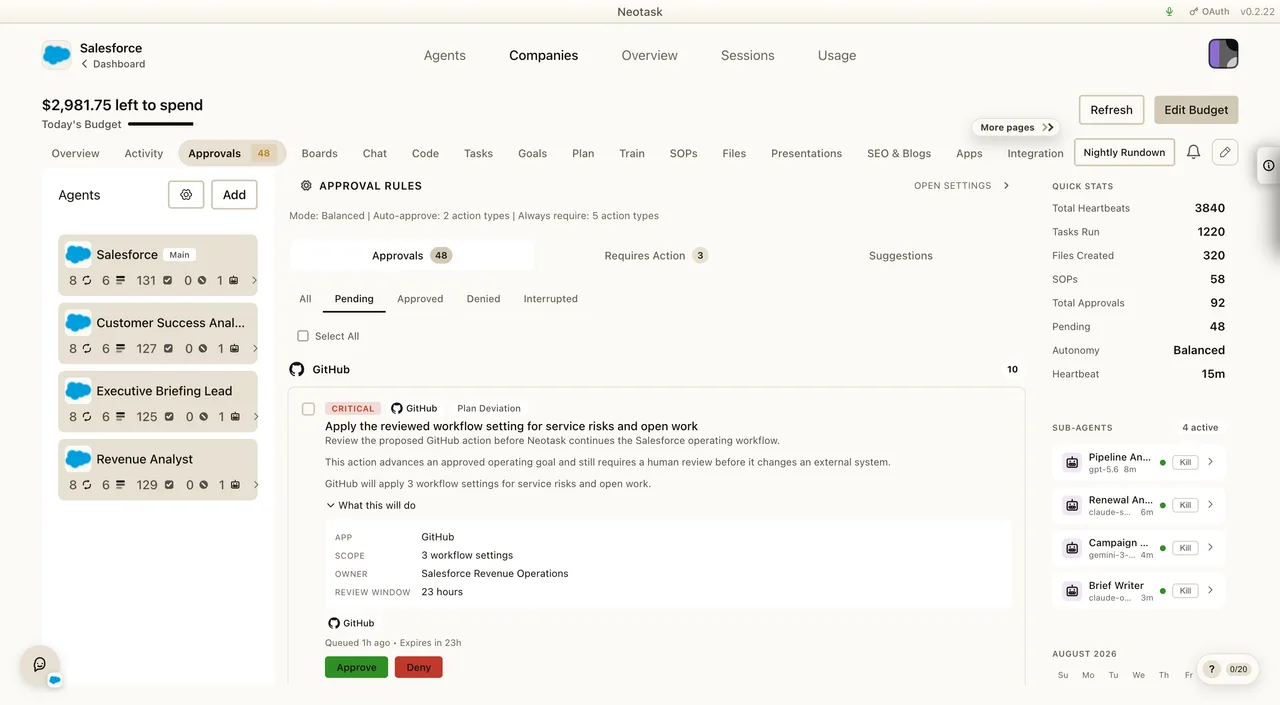
Open Approvals to review pending actions. Open Settings → Permissions to change the default approval policy or Safe Mode.
Overview
Neotask is designed with a security-first architecture. The Gateway binds to localhost by default, all sensitive data is encrypted at rest, and agent execution can be sandboxed in isolated containers.
Network Security
Loopback by Default
The Gateway only listens on 127.0.0.1 (localhost) unless you explicitly change the binding mode. No external network exposure by default.
Authentication
All WebSocket connections require authentication:
- Token auth, Bearer token (UUID or custom string)
- Password auth, Bcrypt-hashed password
- Trusted proxy, Pre-authenticated headers from reverse proxies
- Local trust, Loopback connections are implicitly trusted
Remote Access Security
For remote access, the recommended approach is Tailscale VPN or SSH tunneling, never expose the Gateway directly to the internet.
Device Pairing
How Pairing Works
Every client that connects to the Gateway must be paired:
- Device presents its identity (fingerprint + public key)
- Gateway issues a pairing challenge (nonce)
- Device signs the nonce with its private key
- You approve the device through the UI
- Gateway issues a device token for future connections
Trust Model
- Local devices (loopback) are auto-approved for convenience
- Non-local devices require explicit approval
- Device tokens are stored locally and reused on reconnect
- Devices can be revoked at any time
Encryption
Data at Rest
- AES-256-GCM, All tokens, secrets, and API keys are encrypted at rest
- Machine-derived keys, Encryption keys derived via scrypt from device identity
- No plaintext storage, Tokens are never stored in plaintext
Data in Transit
- TLS, HTTPS for API communication
- WSS, WebSocket Secure for Gateway connections (when using Tailscale Serve or reverse proxy)
- HMAC signing, Request integrity with nonce and timestamp
Sandboxing
Docker-Based Isolation
Agent command execution can be sandboxed in Docker containers:
- Per-agent profiles, Each agent can have its own sandbox configuration
- Resource limits, Configurable CPU, memory, and timeout limits
- Network isolation, Containers can be network-isolated
- Filesystem confinement, Agents only access their workspace
- Custom images, Use pre-built images with specific tools installed
Sandbox Scopes
| Scope | Description |
|---|---|
| Per-session | Fresh container for each session |
| Per-agent | Persistent container per agent |
| Shared | Shared container across agents |
Workspace Access
Sandboxed agents can access their workspace directory (mounted into the container) but cannot access the host filesystem outside their workspace.
Exec Approvals
Guardrail settings define which classes of agent actions pause for review. Check them before changing the policy for an individual request.
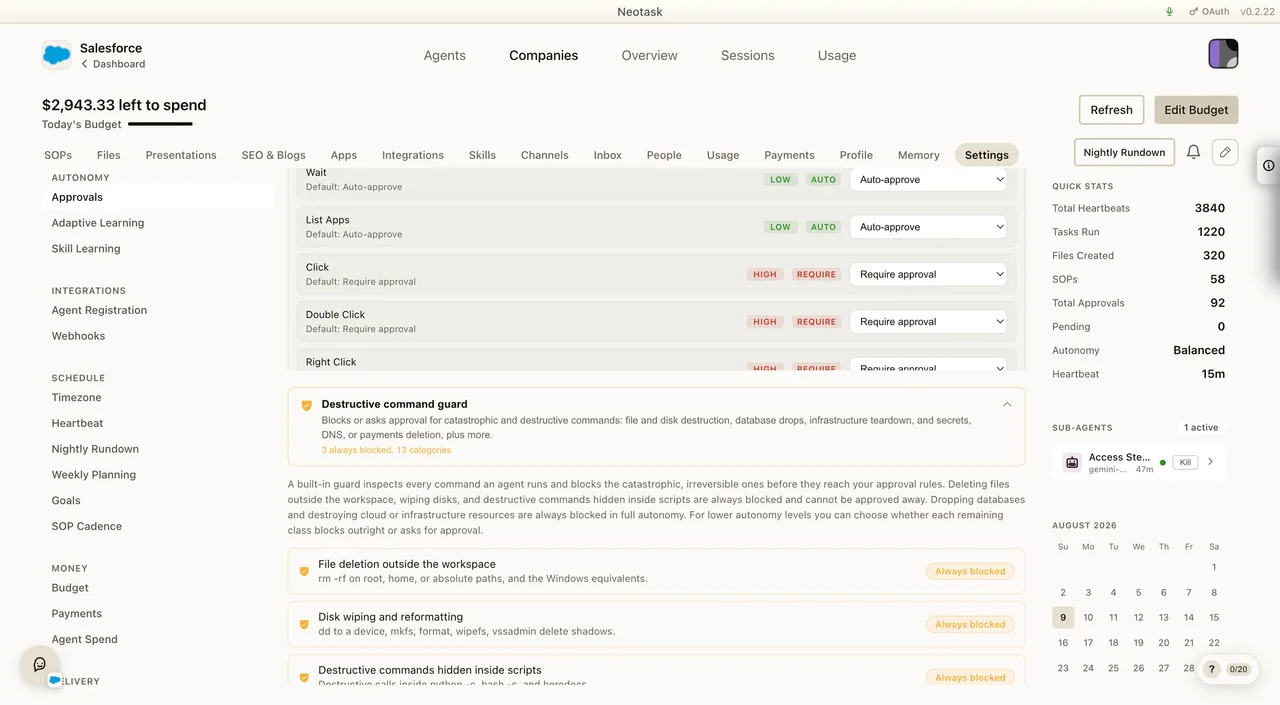
Control what commands agents can execute on nodes and the Gateway host:
Modes
| Mode | Description |
|---|---|
| Allowlist | Only pre-approved commands execute |
| Ask | Unknown commands prompt for user approval |
| Full | No restrictions (use with caution) |
Per-Node Configuration
Each node (macOS, headless host) has its own exec approval configuration, stored locally. You can allow specific binaries (e.g., /usr/bin/docker, /usr/local/bin/terraform) while blocking everything else.
Elevated Mode
Some operations require running on the Gateway host directly (not in a sandbox). Elevated mode is:
- Gated by explicit permission in agent config
- Only available on the Gateway host
- Disabled by default
- Auditable through logging
Security Audit
The built-in security audit checks:
- Configuration file permissions (should be 600)
- Session file permissions
- Node.js version (security patches)
- Plaintext secret detection
- Plugin allowlist validation
- Open network interface audit
- Auth configuration completeness
The audit can automatically fix many issues when given permission.
Best Practices
- Keep the Gateway on loopback, Use Tailscale or SSH for remote access
- Enable sandboxing, Run agent commands in Docker containers
- Use exec allowlists, Restrict what commands agents can run on nodes
- Set auth tokens, Always configure token auth, even for loopback
- Review agent permissions, Use minimal tool profiles where possible
- Keep Neotask updated, Updates include security patches
- Audit regularly, Run security audits to catch misconfigurations
- Restrict plugin loading, Only install trusted plugins