Channels
Connect And Verify A Channel
- Open Channels from the agent workspace.
- Select Add channel.
- Choose the messaging service and finish its authentication flow.
- Run the connection tests.
- Set who can message the agent and which actions require approval.
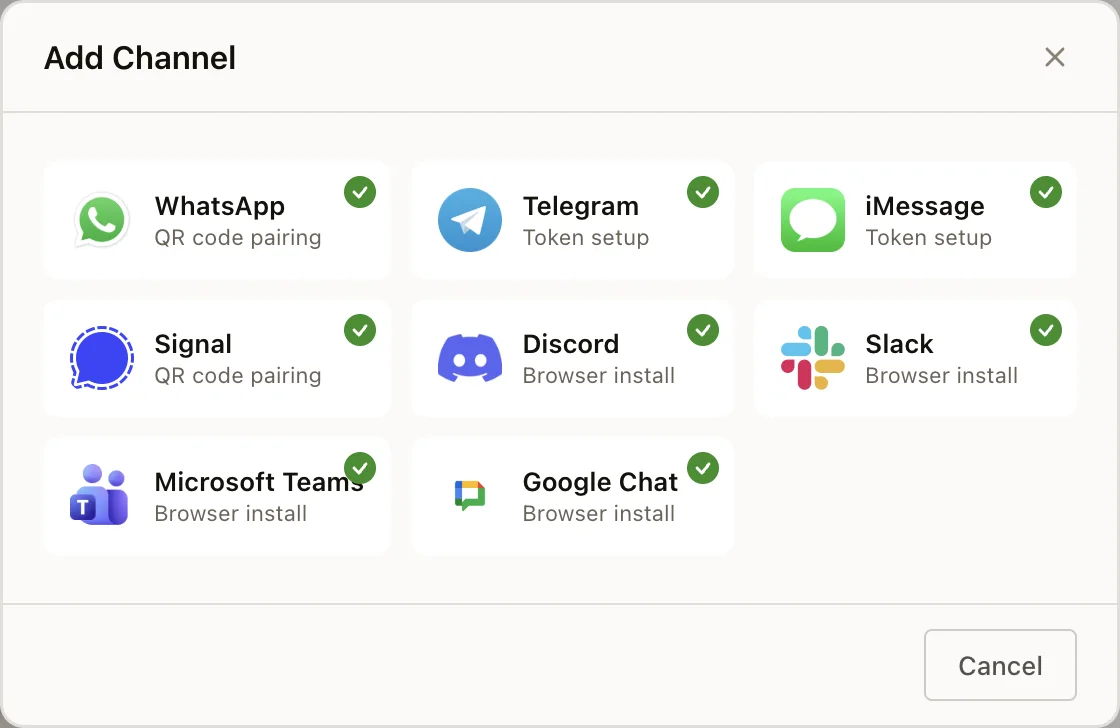
What Are Channels?
Channels are the messaging platforms your agents connect to. By connecting a channel, your agent can listen for incoming messages and respond in real time on that platform.
Neotask supports 20+ messaging platforms out of the box.
Supported Channels
Core Channels (Built-In)
| Channel | Description |
|---|---|
| Personal and business accounts via WhatsApp Web protocol. Groups, reactions, media, threads, edit/unsend, forwarding. | |
| Telegram | Bot API integration. Groups, channels, threads, reactions, pinning. Optional webhook ingestion. |
| Discord | Full server integration. Channels, roles, threads, voice channel awareness, per-server agent binding. |
| Slack | Workspace app via OAuth. Channels, threads, reactions, file sharing. |
| Signal | Encrypted DMs and groups via Signal protocol. Phone pairing via QR. |
| Google Chat | Spaces, threads, reactions, card responses via webhook. |
| iMessage | Full SMS/iMessage support via BlueBubbles on macOS. Edit, unsend, effects. |
| IRC | Classic IRC with channels, DMs, SASL auth, multi-server support. |
Plugin Channels
| Channel | Description |
|---|---|
| Microsoft Teams | Workspace integration via plugin. |
| Matrix | Decentralized messaging protocol. |
| Nostr | Decentralized social protocol DMs. |
| Zalo | Vietnamese messaging platform (Bot API and personal account). |
| Feishu/Lark | Enterprise messaging platform. |
| LINE | LINE Messaging API integration. |
| Nextcloud Talk | Self-hosted messaging via Nextcloud. |
| Mattermost | Open-source team messaging. |
| Tlon | Urbit-based messaging. |
| Twitch | Live stream chat via IRC. |
Channel Features
Multi-Account Support
Use the connection test after adding an account. A passed test confirms that the saved channel account can be reached before you configure routing.
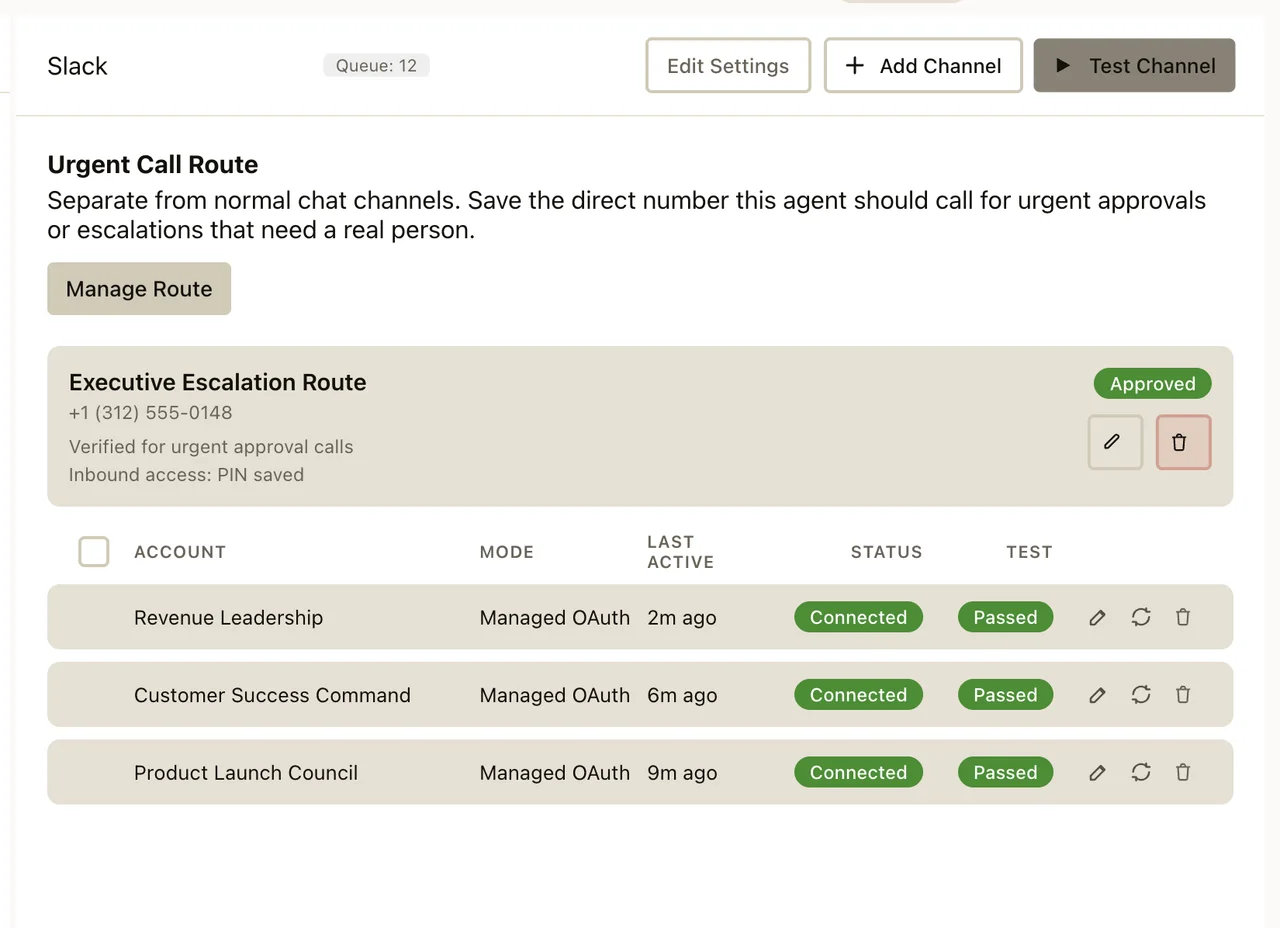 Run multiple accounts per channel. For example, manage several WhatsApp numbers or Telegram bots from the same Gateway.
Media Support
Send and receive images, videos, audio, documents, stickers, and other media types. Media handling varies by platform but most channels support rich media in both directions.
Group & Channel Management
Agents can participate in group conversations, respond to mentions, manage threads, and interact with channel-specific features (reactions, polls, pins).
Message Threading
On platforms that support it (Slack, Discord, Telegram), agents can create threads, reply within threads, and maintain thread-specific context.
Message Editing & Reactions
Agents can edit their own messages, unsend messages, and add reactions on platforms that support these features.
Broadcast Groups
Send announcements to multiple channels simultaneously. Configure broadcast groups to keep multiple platforms in sync.
Channel Routing
Default Behavior
By default, the main agent receives all inbound messages from all channels.
Multi-Agent Routing
With multiple agents, messages are routed based on bindings:
- By channel, All WhatsApp messages → personal agent
- By server, Discord server A → support agent, server B → dev agent
- By workspace, Slack workspace → team agent
- By chat type, Private DMs → assistant, group messages → team bot
DM Access Control
Slack access settings define which channels and direct messages the agent can use. Review these controls when a connected account works but a specific destination does not.
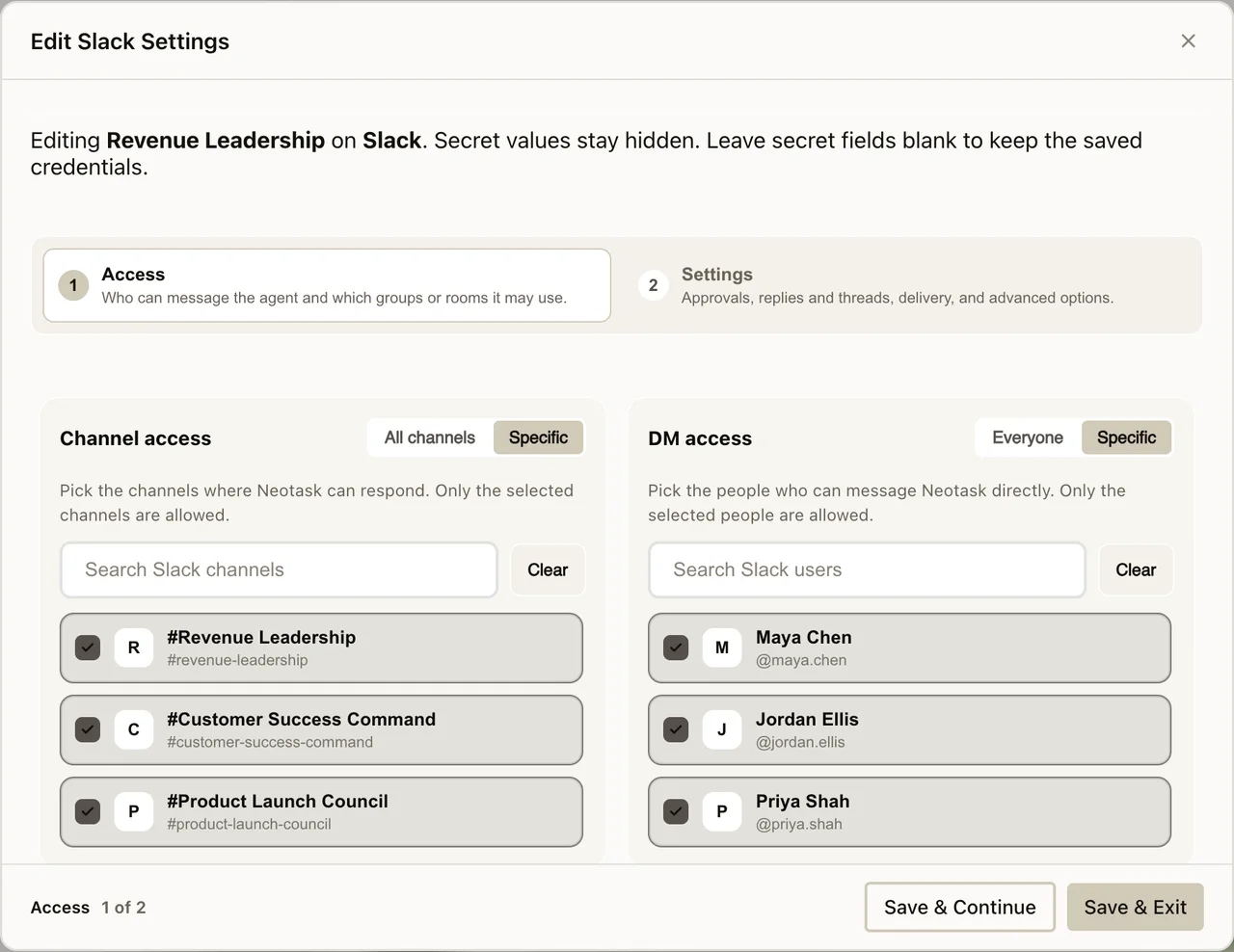 Configure which contacts can message your agent directly. Options include allowing all DMs, only known contacts, or a specific allowlist.
Group Mention Gating
In group chats, configure whether agents respond to all messages or only when mentioned.
Pairing & Authentication
Each channel has its own authentication method:
| Channel | Auth Method |
|---|---|
| QR code scan | |
| Telegram | Bot token |
| Discord | Bot token |
| Slack | OAuth (workspace app) |
| Signal | Phone pairing via QR |
| Google Chat | Webhook URL |
| iMessage | BlueBubbles API key |
| IRC | Nick + optional password |