Tools & Capabilities
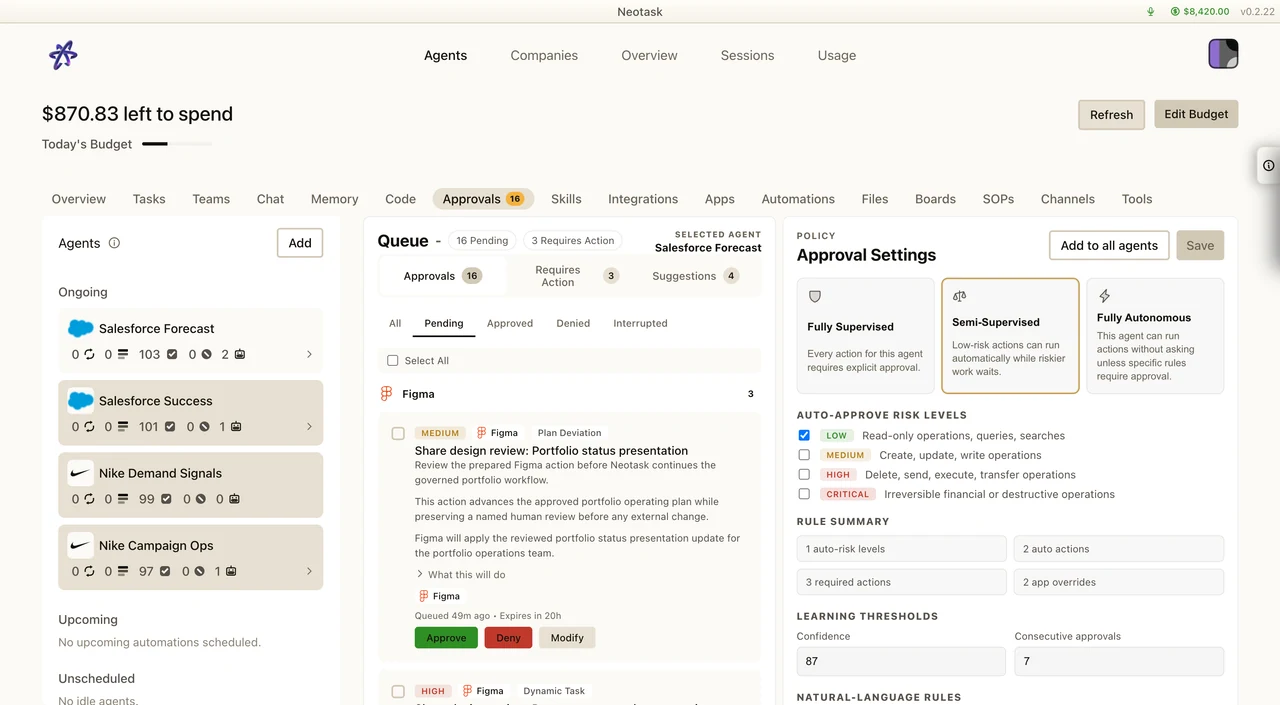
Review Tool Access
- Open Settings → Permissions.
- Review the tool groups available to the agent.
- Keep Safe Mode enabled for commands that can change or delete data.
- Inspect an approval request before allowing the action.
Overview
Tools are the actions your agents can take during conversations. When an agent needs to browse the web, run a command, read a file, or control a device, it uses tools.
Neotask provides a rich set of built-in tools covering file management, code execution, browser automation, device control, messaging, web search, and more.
File Operations
Agents can read, write, and edit files in their workspace:
- Read, Read file contents
- Write, Create or overwrite files
- Edit, Make targeted edits to specific parts of a file
- Apply Patch, Apply multi-hunk unified diffs for complex file modifications
Code Execution
Agents can run shell commands with configurable isolation:
- Gateway execution, Run commands directly on the machine hosting the Gateway
- Sandbox execution, Run commands in isolated Docker containers with resource limits
- Node execution, Run commands on connected companion devices (macOS, Linux nodes)
Execution Features
- Configurable timeouts (default 30 minutes)
- Background job management (list, poll, kill, clear)
- Auto-background for long-running commands
- TTY support for interactive programs
- Elevated mode for privileged operations (gateway host only)
Approval Workflows
Destructive command protection explains why a command was stopped and what review is required. Use it to distinguish a safety block from a failed tool call.
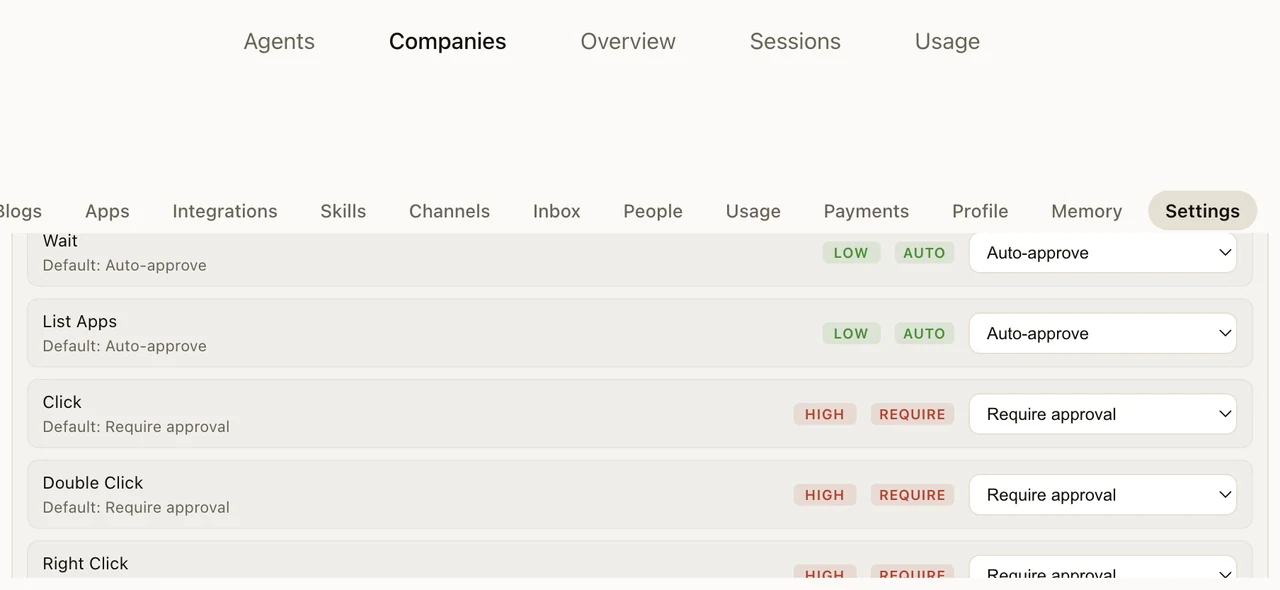 Sensitive commands can require user approval before execution:
- Allowlist, Only pre-approved commands execute
- Ask, Unknown commands prompt for approval
- Full, No restrictions
Browser Automation
Agents control a full Chromium-based browser (Chrome, Brave, or Edge):
Actions
- Navigate, Open URLs and navigate between pages
- Interact, Click, type, hover, drag, select, fill forms
- Capture, Take screenshots, export PDFs
- Inspect, Snapshot the DOM or accessibility tree
- Execute, Run JavaScript in the page context
- Upload, Upload files to web forms
- Manage, Handle dialogs (alerts, confirmations), read console output
Browser Profiles
Multiple isolated browser profiles for separating accounts:
- Each profile has its own cookies, storage, and history
- Auto-assigned CDP ports for programmatic control
- Remote browser support (connect to browsers on other machines)
Canvas & A2UI
The Agent-to-UI (A2UI) system lets agents render interactive visual content on connected devices:
- Present, Display web pages or custom content on a device's canvas
- Navigate, Control what's shown in the canvas window
- Evaluate, Execute JavaScript in the canvas context
- Snapshot, Capture what's currently displayed
- A2UI Push, Send structured UI updates (JSONL payloads) to the canvas
- A2UI Reset, Clear the canvas state
Canvas rendering is available on macOS (WebKit), iOS (SwiftUI), Android (Jetpack Compose), and web (WebChat).
Node Device Capabilities
Through connected companion apps, agents can:
Camera
- Snap, Take photos (front or back camera)
- Clip, Record video clips with configurable duration and FPS
Screen
- Record, Capture screen recordings with configurable duration and quality
Location
- Get, Retrieve GPS coordinates with accuracy selection
Notifications
- Notify, Send native OS notifications with title, body, and priority
System Commands
- Run, Execute shell commands on the node device
- Which, Check if a command is available on the node
Messaging
Agents can send and manage messages across connected channels:
- Send, Send messages to any connected channel/recipient
- Edit, Edit previously sent messages
- React, Add reactions to messages
- Thread, Create threads and reply within them
- Poll, Create polls on supported platforms
- Voice, Check voice channel status (Discord)
Web
- Search, Web search via Brave Search API
- Fetch, Retrieve web pages and convert HTML to markdown/text
Memory & Context
- Memory Search, Vector similarity search over agent memory files
- Memory Get, Retrieve specific memory files by name
Session Management
- List Sessions, View active sessions across agents
- Session History, Fetch transcript for any session
- Send to Session, Send messages to other agent sessions
- Spawn Sub-Agent, Start isolated sub-agent runs
- List Agents, View available agents
Automation
- Cron, Create, edit, run, and manage scheduled jobs
- Gateway, Restart gateway, apply configuration changes, run updates
Image Analysis
Agents can analyze images using configured vision models, describe content, extract text, identify objects, and answer questions about visual content.
Tool Groups
Tools are organized into groups for easy permission management:
| Group | Tools |
|---|---|
| runtime | exec, bash, process |
| fs | read, write, edit, apply_patch |
| sessions | sessions_list, sessions_history, sessions_send, sessions_spawn, session_status |
| memory | memory_search, memory_get |
| web | web_search, web_fetch |
| ui | browser, canvas |
| automation | cron, gateway |
| messaging | message |
| nodes | nodes |