Bring Your Own Key (BYOK)
Overview
BYOK mode lets you use your own API keys from supported AI providers instead of Neotask's managed infrastructure. This gives you full control over which models you use and direct billing from your provider for the base token cost. Note that a 20% platform fee and any applicable automation markup are still deducted from your Neotask credit balance, even in BYOK mode. You save on the base API cost, but platform fees still apply.
How It Works
- Get an API key from your preferred provider
- Add the key in Neotask's settings
- Your agent uses your key for all LLM calls
- Base token costs go directly to your provider; platform fees are deducted from your Neotask credits
If you don't provide your own keys, Neotask uses its shared pooled keys with usage tracked and billed through your subscription plan.
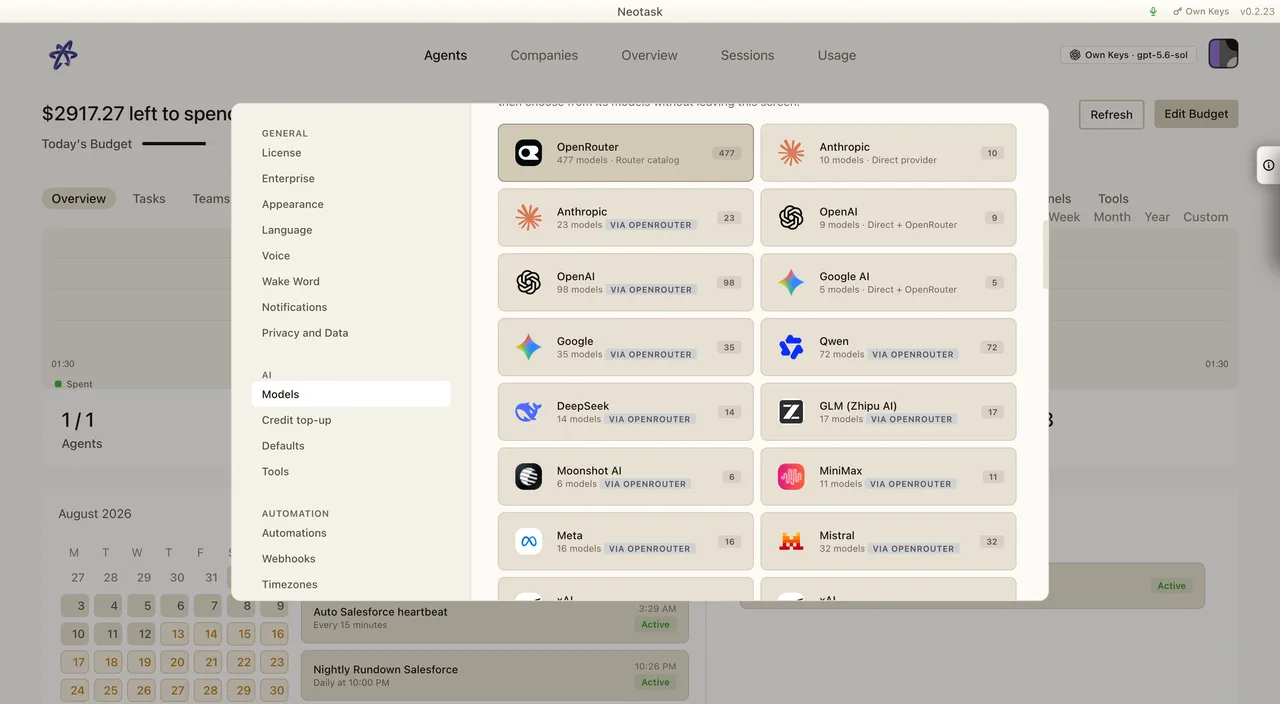
Add a provider key
- Open Settings.
- Select Models.
- Choose Own API Keys.
- Select the provider whose key you want to use.
- Enter the fields requested by that provider and save.
- Confirm the provider reports a ready state before starting a run.
The provider catalog in the app is the current list. The model picker updates after a provider is connected.
On the Free plan, BYOK only changes who pays the provider token bill. It does not remove Free-plan product gates. Free users still have the first 10 messages/events, then 5 messages/events per user-local calendar day, and they still cannot run company tasks, create custom agents, or create their own automations.
Supported Providers
| Provider | Models | How to Get a Key |
|---|---|---|
| Anthropic | Claude Opus 4.6, Claude Sonnet 4.1, Claude Haiku 4.5 | console.anthropic.com |
| OpenAI | GPT-5.2, GPT-5.1, GPT-4 Turbo, GPT-4, DALL-E 3 | platform.openai.com |
| Google AI | Gemini 3 Pro, Gemini 2 Flash, Gemini 1 Pro | aistudio.google.com |
| OpenRouter | 100+ models from multiple providers | openrouter.ai |
| DeepSeek | DeepSeek Chat, DeepSeek Coder | platform.deepseek.com |
Key Security
- Server-side storage, Keys are encrypted and stored on the Neotask license server, not in local plaintext files
- HMAC-signed requests, Key management operations are signed with your device secret
- Masked display, Only the last 4 characters of your key are visible in the UI
- Device binding, Keys are associated with your device + license for additional security
Benefits of BYOK
| Feature | Managed (Default) | BYOK |
|---|---|---|
| Setup required | None | Get API key from provider |
| Billing | Through Neotask plan | Base cost direct to provider; 20% platform fee + automation markup from credits |
| Model access | Models included in plan | All models your key supports |
| Pricing | Included in subscription | Provider rates + 20% platform fee from credits |
| Rate limits | Shared pool limits | Your account's limits |
| Cost control | Daily budget in app | Provider dashboard + app budget |
When to Use BYOK
- You want specific models not available on the managed plan
- You have existing API credits or enterprise agreements with providers
- You want higher rate limits than the shared pool provides
- You prefer direct billing from the provider
- Your organization requires keys to stay within your cloud account
BYOK provider balance must be valid for every allowed Free message. If the provider key runs out of credits or hits a billing limit, Free usage stops until the provider account is funded or the user switches to hosted credits with enough Neotask balance.