Account Access
Check License And Account Status
- Open the account menu.
- Select Settings.
- Open License to confirm the active plan and account.
- Open Models when the issue concerns a connected subscription or provider.
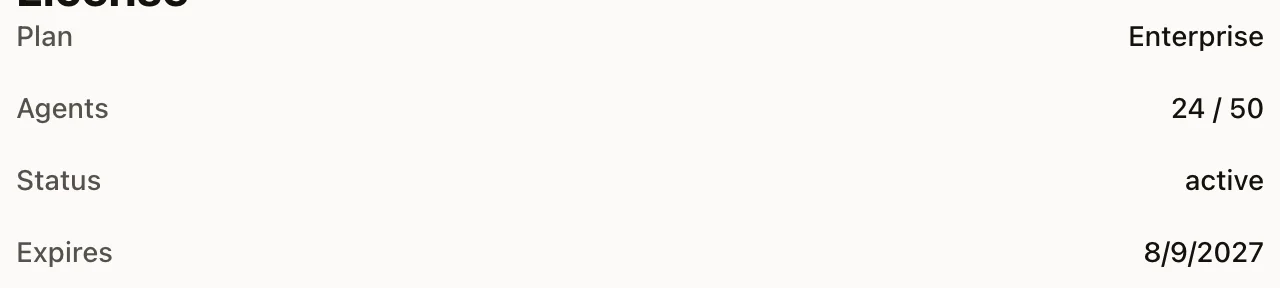
Use this guide when you cannot sign in, cannot access the correct workspace, are unsure whether you count as a member, or need billing-related access help.
Guest vs Member Support
You are a guest if:
- you have not finished signing up
- your payment did not complete
- you do not yet have an active workspace
- your phone number is not yet linked to a member or employee record
You are a member if:
- you can sign in to an active workspace
- you are an owner, admin, or viewer on a tenant
- you are an employee record tied to a company support flow
- your phone number is already saved as an approved member support route
If support cannot safely confirm membership from your calling context, the issue should stay in guest support until the workspace can be verified.
Common Access Problems
I cannot sign in
Check these first:
- Confirm you are using the same email address that owns or was invited to the workspace.
- Complete any Google or external sign-in step in the browser window if prompted.
- Refresh the app or web session after sign-in completes.
- If you were invited recently, confirm the invite was accepted on the same email address.
I can sign in, but I do not see the right workspace
Possible causes:
- you signed in with the wrong email
- the workspace owner has not added you yet
- your membership changed and the app needs a refresh
Try:
- Sign out and back in with the expected email.
- Ask the workspace owner to confirm your role.
- Refresh the app after the role change is saved.
I am an employee, but support does not recognize my number
If your employee record exists but your phone number changed, support may need to verify the company another way before discussing member-only details. Updating the saved employee phone number restores direct member routing on future calls.
Billing Access Problems
Payment failed during sign-up
Use guest support for:
- card declines
- checkout interruptions
- pricing questions before activation
- a charge attempt that did not create an active workspace
I paid, but the plan did not update
Try these steps:
- Refresh the app or dashboard.
- Wait a few minutes for billing state to sync.
- Confirm the charge completed in the billing portal or card history.
- If the workspace still has the old state, contact support with the billing email and approximate charge time.
I need invoice or billing follow-up
Be ready with:
- workspace email
- billing email if different
- the plan you expected
- the approximate charge date
Membership Roles
Tenant membership is generally organized as:
- owner
- admin
- viewer
If you can sign in but lack permission to change billing, channels, or support-sensitive settings, the issue may be role-related rather than a broken account.
When Support Needs Escalation
Support should escalate instead of guessing when:
- a payment succeeded but no workspace was created
- a member can authenticate but has no valid tenant access
- an employee support record is missing or clearly stale
- a billing or access change appears to have partially synced
For product-setup help after access is restored, continue with MCP Auth & OAuth Setup or App Setup Troubleshooting.