Neotask Support Agent Capability Reference
Agent Screens
Use the main chat for the active support conversation. Use Overview for recent sessions, scheduled work, and activity.
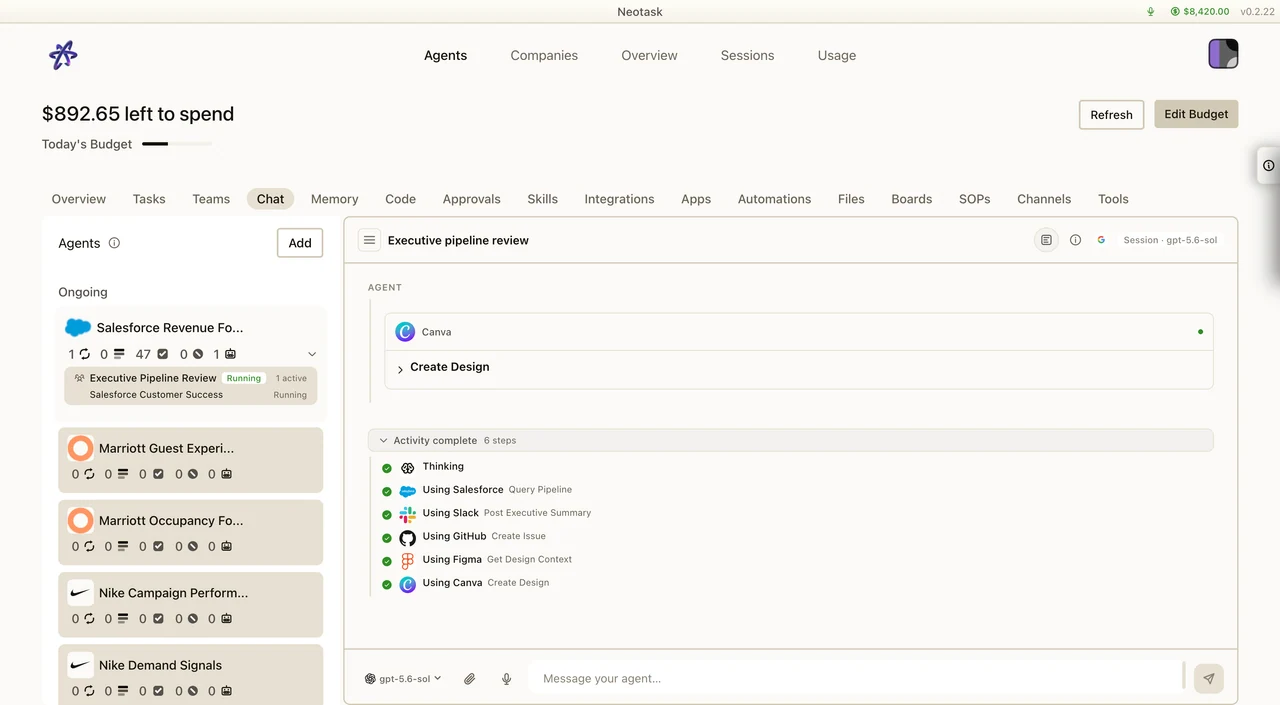
This page is a supplemental deep dive. If you want the full one-page overview of what the support agent can do, start with Neotask Support Call Agent.
This is the detailed capability reference for Neotask support call agent.
If you want the short marketing version, use Neotask Support Call Agent.
If you want the exhaustive version of what the live support system can actually inspect, explain, and do, use this page.
Support Phone Number
Call the support line here:
+1 (331) 296-2762
Support Access Levels
The support call agent can help at different depths depending on the support context available during the call.
1. General support
The agent can help with:
- public setup guidance
- public troubleshooting guidance
- signup friction
- pre-activation checkout questions
- public app-connection docs
- where to find the right docs or next step
2. Recognized member support
This is the mode where the support agent can use account-linked support context.
In the current support system, this is driven by account-linked recognition and authenticated member support context.
At this level, the support agent can inspect:
- tenant account state
- subscription and credit state
- recent sessions and jobs
- recent automation failures
- recent gateway and app runtime errors
- recent failure-linked log excerpts
- relevant support case history
- relevant workspace/company memory context
3. Company-scoped support context
Some support questions are tenant-wide. Others are really about one company or sector.
When the issue is company-specific, the support agent can scope into that company and inspect:
- company profile and health hints
- company schedules
- company approvals
- company automation failures
- company memory files and setup notes
- company-specific app runtime errors
If there are multiple companies available, support can scope into the right one.
Live Specialist Lanes
The support stack currently routes into these specialist areas.
Guest support
Best for:
- signup help
- pre-activation checkout issues
- public support guidance
- “where do I start?”
What it relies on:
- curated support documentation
- MCP setup documentation
- support case follow-up when it is needed
Setup and troubleshooting support
Best for:
- app setup problems
- first launch problems
- local runtime confusion
- desktop app onboarding friction
What it can inspect:
- live account overview
- recent sessions
- recent jobs
- recent failures
- recent technical diagnostics
- recent failure-linked logs
- relevant memory and workspace notes
MCP and OAuth support
Best for:
- app connection status
- OAuth reconnect issues
- callback URL questions
- API key setup questions
- “connected but still fails” questions
What it can inspect:
- curated provider guidance
- exact app-setup docs
- live account overview
- recent activity
- technical diagnostics
- recent failure-linked logs
- relevant memory context
Billing and account access support
Best for:
- current plan
- subscription state
- credit balances
- top-up balances
- seat and company allowance questions
- recent usage questions
- account-state follow-up
What it can inspect:
- live account overview
- live billing summary
- recent activity
- diagnostics when the caller thinks something is blocked by a technical problem
- memory context when historical setup or support notes matter
Teams, channels, automation, and enterprise support
Best for:
- recent automation failures
- approvals blocking work
- channels not delivering
- recent sessions or workflow activity
- company-specific workflow troubleshooting
- enterprise/admin operational questions
What it can inspect:
- live account overview
- recent activity
- technical diagnostics
- recent failure-linked logs
- memory context
- curated support docs for supported public workflows
Live Read Capabilities
These are the main data classes the current support system can inspect through its support-specific data access layer.
Live account overview
The agent overview is the useful screen when support needs recent sessions, scheduled work, or agent state. Open it before reading account-wide activity to the caller.
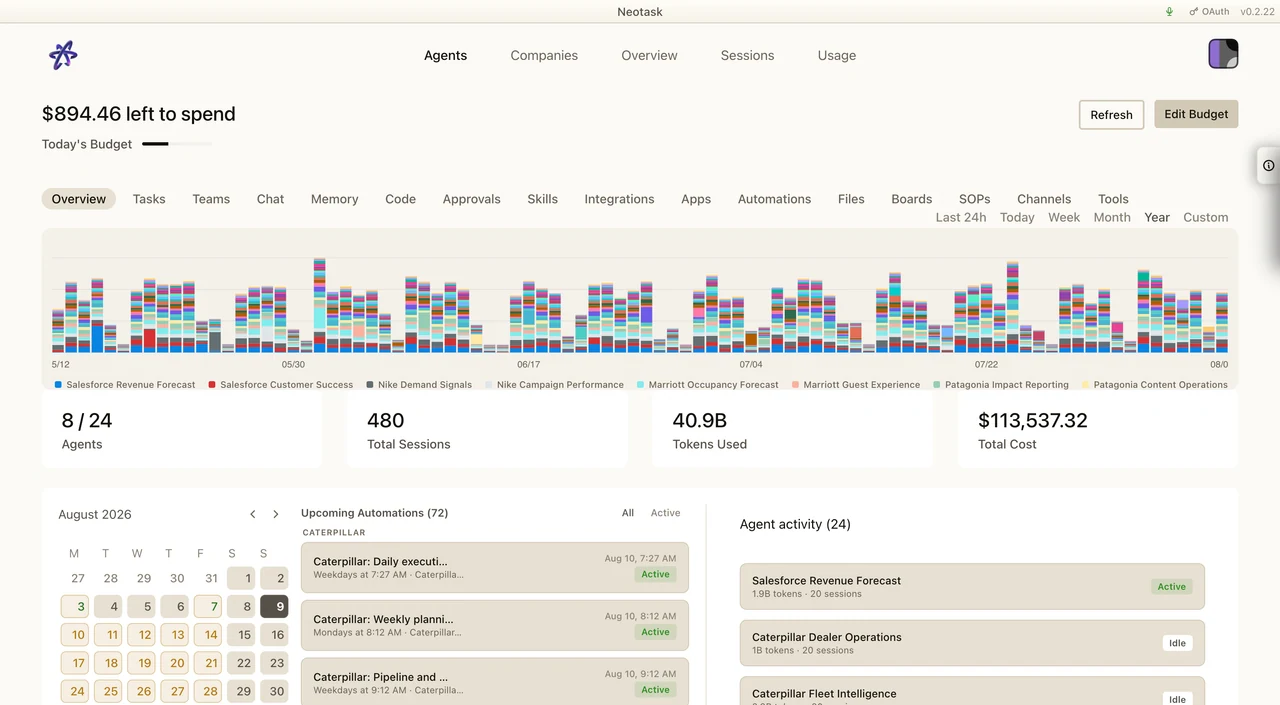
The support agent can retrieve a structured live account overview that includes:
- tenant name
- plan
- subscription status
- credit balance
- top-up balance
- overage/blocking state
- employee seats purchased and granted
- company or sector allowance
- additional paid company or sector slots
- dedicated onboarding state
- member counts by role
- company list
- selected company detail
- latest support case summary
- latest support call summary
- recent usage rollup
- recent account credit movement
This is the most useful “what does my account actually look like right now?” support view.
Live billing summary
The support agent can produce a live billing summary with:
- current plan
- subscription status
- main credit balance
- top-up balance
- current company/sector count
- company/sector allowance
- paid add-on slot count
- employee seats purchased and granted
- seven-day usage cost and event count
- seven-day error-event count
- subscription period end
- dedicated onboarding status when applicable
- latest recent credit movement
This is the main live answer for:
- “What plan am I on?”
- “How much balance do I have left?”
- “How much did I use recently?”
- “Do I have any add-on company slots?”
Recent activity and workflow state
The support agent can inspect recent activity including:
- recent agent sessions
- recent account sessions
- recent jobs
- recent workflow activity
- recent schedules
- recent approvals
- recent usage events
- recent automation events
- recent gateway errors
- recent app runtime errors
This is the main support path for:
- “What happened recently?”
- “Did anything fail?”
- “Did the system run my workflow?”
- “Were there approvals waiting?”
Technical diagnostics
The support agent can inspect technical evidence including:
- bounded warning/error log excerpts
- recent gateway runtime error excerpts
- recent app runtime error excerpts
- recent workflow error excerpts
- bounded transcript excerpts for incidents
- recent usage events with error codes
- blocked schedules with auth/runtime indicators
- recent failed or blocked automation events
This is the main tool path for:
- “Why did this fail?”
- “Can you check the logs?”
- “Do you see runtime errors?”
- “Was this blocked by auth or by the runtime?”
- “Can you inspect the recent logs and tell me the most likely cause?”
Memory and workspace context
The support agent can inspect:
- relevant company memory excerpts
- relevant setup notes
- relevant support notes
- bounded previews from specific memory files when requested
- a list of available company memory files
This is the main tool path for:
- “Look at the notes for this company.”
- “Check the prior setup memory.”
- “Preview the file that explains this workflow.”
Support knowledge and app-setup reference
The support agent can also use support documentation and app-setup guidance for:
- curated support docs
- exact provider setup guidance
- callback URL information
- auth field requirements
- provider-specific scope notes
- provider exception runbooks
This is what it should use when the answer is documentation-first rather than account-state-first.
Evidence Classes It Can Use
The support agent can work from the following evidence classes when they are relevant:
- plan and subscription state
- credit and top-up state
- recent usage summaries
- recent billing movement summaries
- company and sector counts
- employee-seat counts
- recent agent sessions
- recent account sessions
- recent jobs
- recent workflow activity
- recent schedules
- recent approvals
- recent automation events
- recent gateway errors
- recent app runtime errors
- recent log excerpts connected to failed events
- relevant support cases
- relevant support call history
- relevant support notes
- relevant workspace/company memory excerpts
- bounded transcript excerpts
- bounded file or artifact previews
Actions The Support Agent Can Take Today
These are the live support-side actions that exist now.
Create a support case
The agent can create a structured support case when:
- the issue needs follow-up
- the issue needs escalation
- the call is ending before full resolution
- a durable record should exist
Update a support case
The agent can update an existing support case with:
- status
- priority
- route or department
- notes
- summary
- outcome
Send a support doc link
The agent can send a doc link by SMS when:
- a specific runbook or support doc is the right next step
- the user wants a written reference after the call
Send a general follow-up SMS
The agent can send an SMS follow-up message when:
- the user needs next steps
- the user needs a written reminder
- a lightweight follow-up helps without escalation
Send human handoff options
The agent can send the user:
- the support Intercom path
- the support scheduling path when configured
This is the right move when the issue needs human follow-up.
Things It Can Explain Well
The support agent is especially useful for explaining:
- what failed recently
- whether the likely cause was auth, runtime, routing, approval, or billing state
- whether a schedule is blocked
- whether a company or workflow has recent support-relevant notes
- whether the issue already shows up in recent errors
- whether the account state matches what the user thinks should be true
Good example questions:
- “Check my recent automation failures and tell me the top likely cause.”
- “Check whether auth or runtime is blocking this schedule.”
- “Look at my recent app runtime errors.”
- “Tell me whether approvals are waiting.”
- “Look at the recent notes for this company.”
- “Check my recent sessions and tell me what happened.”
When It Will Escalate
Some issues still need human follow-up.
When that happens, the support agent can:
- summarize what it already confirmed
- create or update the support case
- preserve the account context and issue history
- send the next step by SMS when that is useful
Example Request Catalog
Billing and plan
- “What plan am I on?”
- “What is my top-up balance right now?”
- “How much did I use in the last week?”
- “Do I have any extra company slots?”
- “How many seats are on this account?”
Recent system state
- “What happened recently on my account?”
- “Check my recent sessions.”
- “Check my recent jobs.”
- “Check my recent failures and tell me the likely cause.”
Dynamic troubleshooting
- “Check the recent logs for this issue.”
- “Tell me whether this looks like auth, runtime, routing, approval, or schedule trouble.”
- “Look at the last failed workflow and explain what actually happened.”
- “Check whether the system recorded any app or gateway errors around that time.”
- “Look at recent tool execution problems.”
Technical issues
- “Look at recent runtime errors.”
- “Check whether the gateway has been failing.”
- “Show me the likely cause of the last blocked automation.”
- “Do you see auth-related schedule blocking?”
Workflow and company issues
- “Help me with the operations company.”
- “Check whether this company has pending approvals.”
- “Look at the notes for the marketing company.”
- “Preview the memory file for this workflow.”
Support continuity
- “I already called about this. Can you check the prior support case?”
- “Look at the prior support notes before we continue.”
- “Send me the doc link for this issue.”
- “Create a support case and escalate this.”
Best Way To Use This Agent
If you want the best help, tell the support agent:
- what failed
- whether it is happening now or happened recently
- which company, workflow, app, or channel is involved
- whether you want diagnosis, explanation, or a follow-up action
The more specific you are about what to inspect, the better it performs.