Neotask Common Resolution Paths
This guide shows the main ways the support line can move an issue toward resolution.
Resolution Path 1: Setup Recheck
Use this when the caller is blocked on installation or first-run behavior.
- Verify sign-in.
- Verify that the app is current and running.
- Open Settings → Infrastructure → Connection and confirm each boundary.
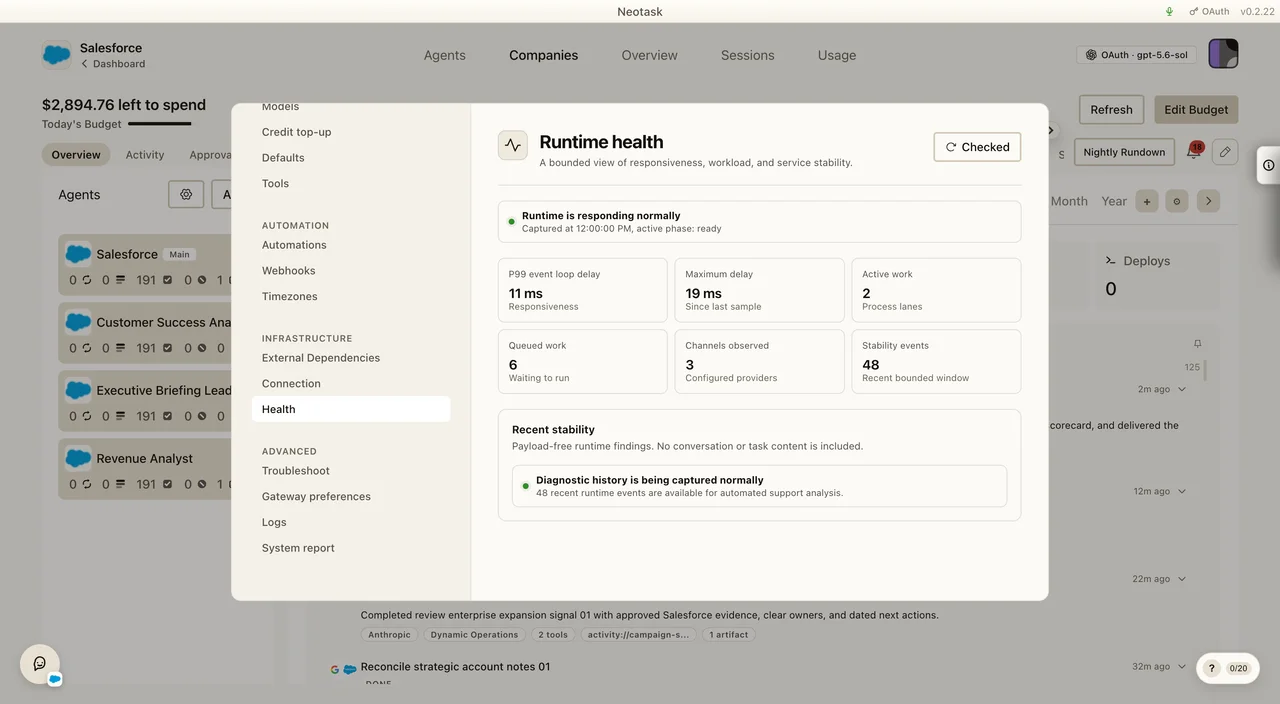
- Open Settings → Infrastructure → Health and click Run check.
- Review Settings → Advanced → System report.
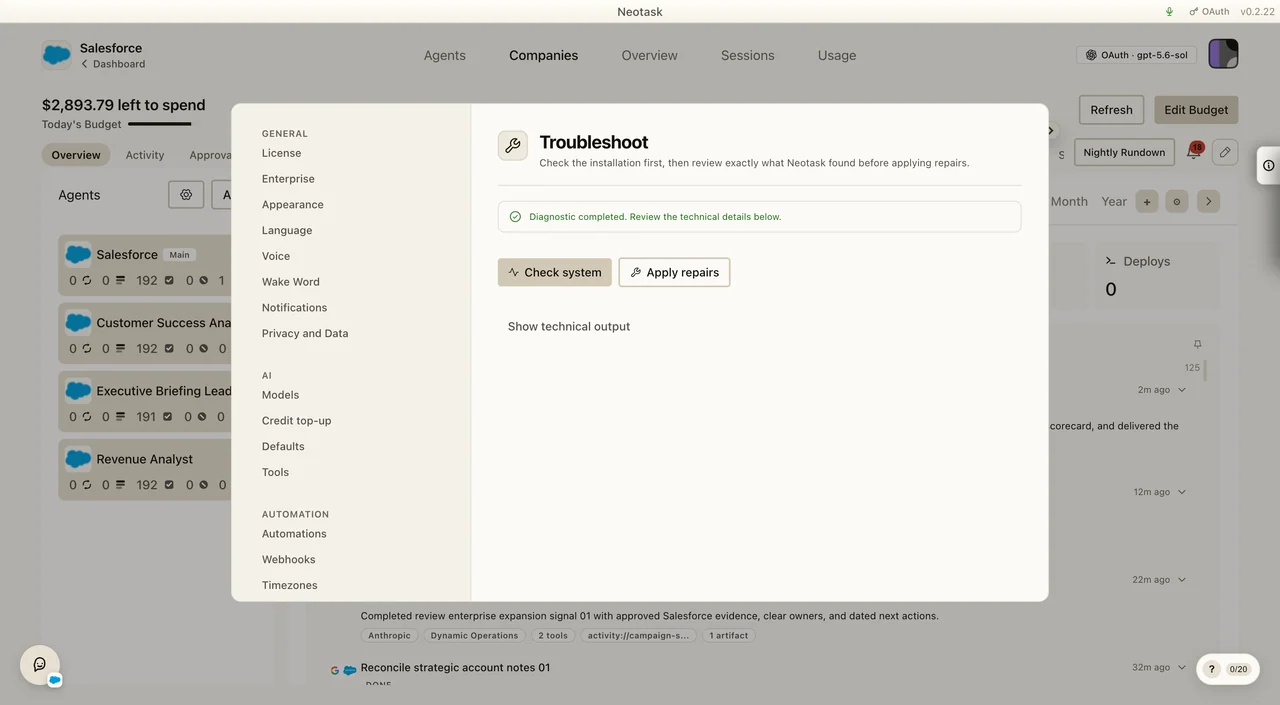
- Open Settings → Advanced → Troubleshoot when a repair is needed.
- Click Check system.
- Click Apply repairs when the check offers it.
- Retry the documented setup flow after the follow-up check completes.
Connection and Health show what is currently wrong. System report combines the live checks. Troubleshoot runs the Doctor and repairs.
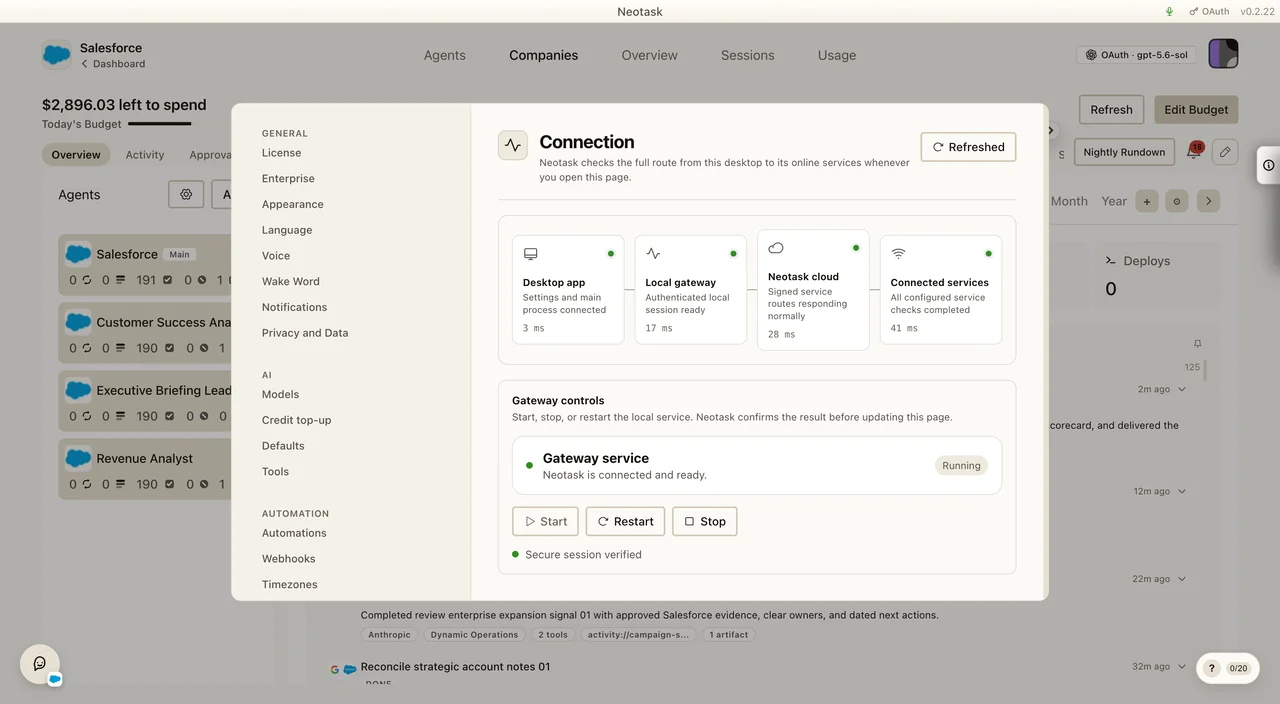
Run Health after the connection path loads so support can see runtime pressure and recent stability.
Use Troubleshoot for the Doctor and repair controls after the live checks identify the problem.
Resolution Path 2: OAuth Or MCP Reconnect
Use this when the app status is pending, error, or expired.
- identify the exact app
- explain the correct auth method
- reconnect using the documented flow
- verify the app returns to a usable state
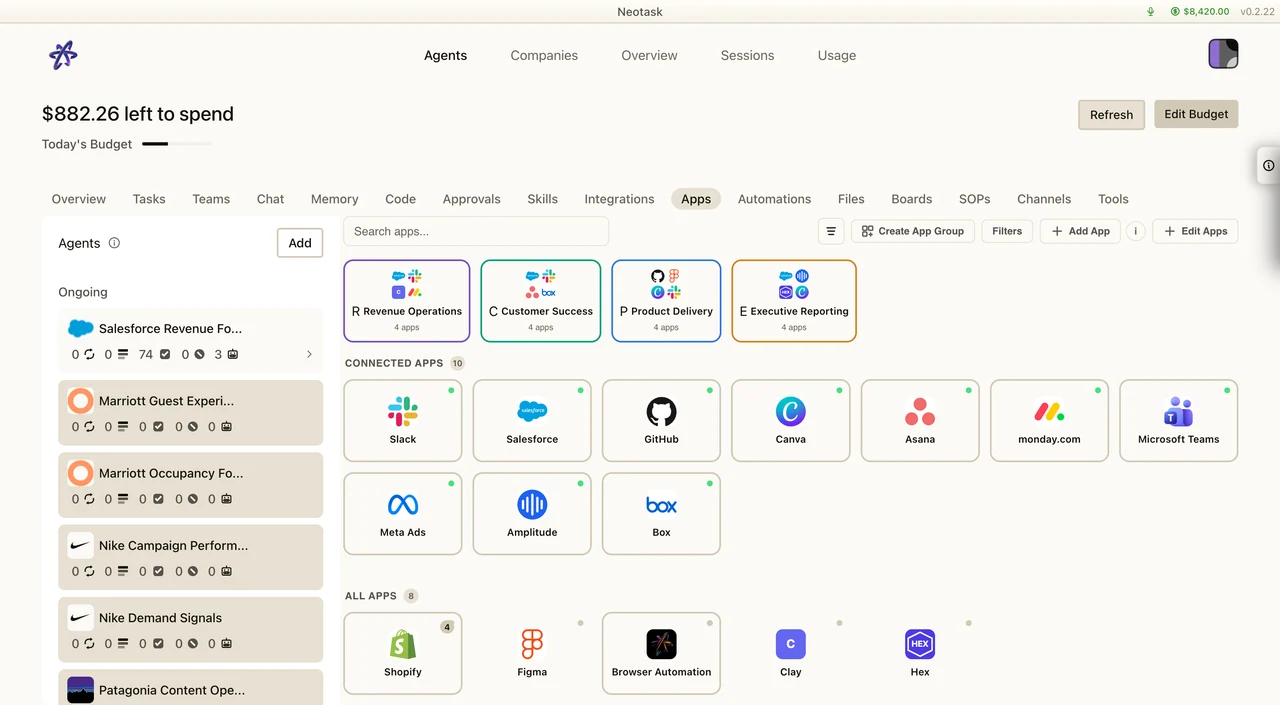
Use the Apps screen to confirm which provider is affected and whether it is connected, pending, or in an error state.
Resolution Path 3: Guest Checkout Help
Use this when the caller is not recognized as a member and needs pre-signup help.
- stay in general support
- help with sign-up or checkout basics
- send the right public doc or follow-up link
- escalate if the claim requires account verification
Resolution Path 4: Member Billing Review
Use this when a recognized member says access is blocked for billing reasons.
- check billing access state
- check subscription lifecycle state
- check credit and overage blocking basics
- escalate if the saved state conflicts with the caller’s claim
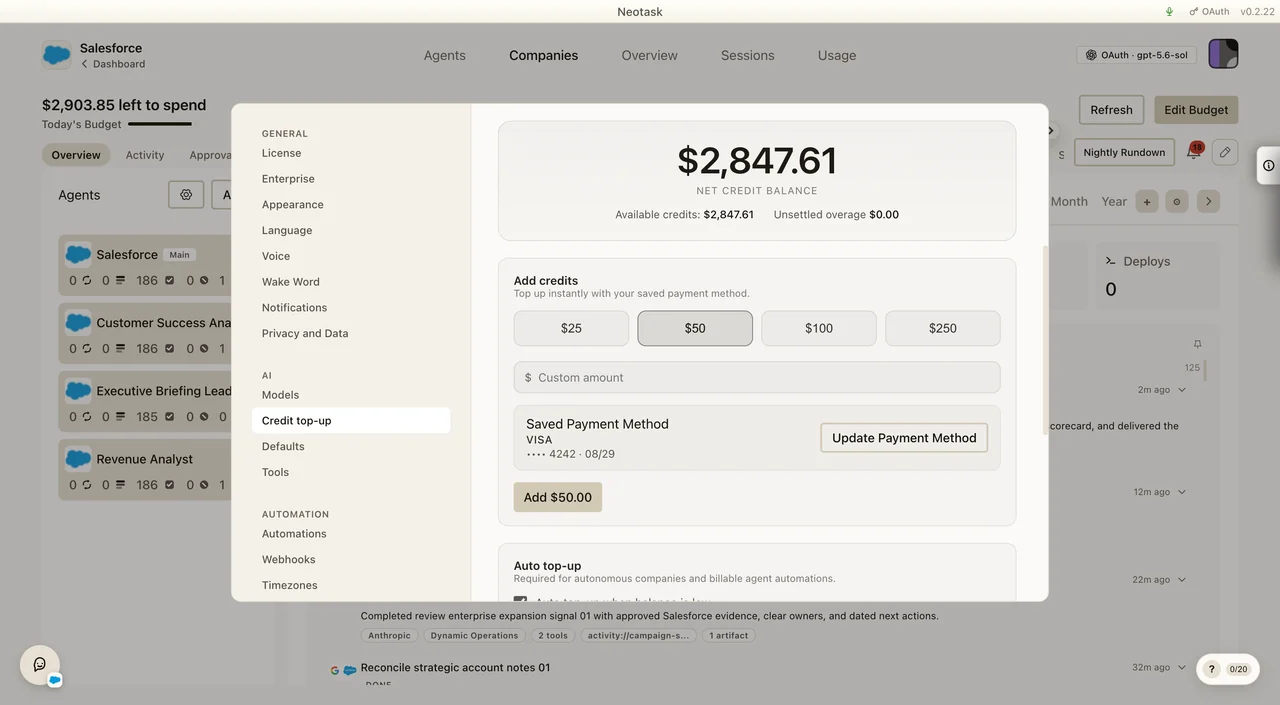
Ask the customer to open Settings → Credit top-up. The balance at the top separates available credits from unsettled overage.
Resolution Path 5: Approval Review
Use this when work is waiting for a person rather than failing.
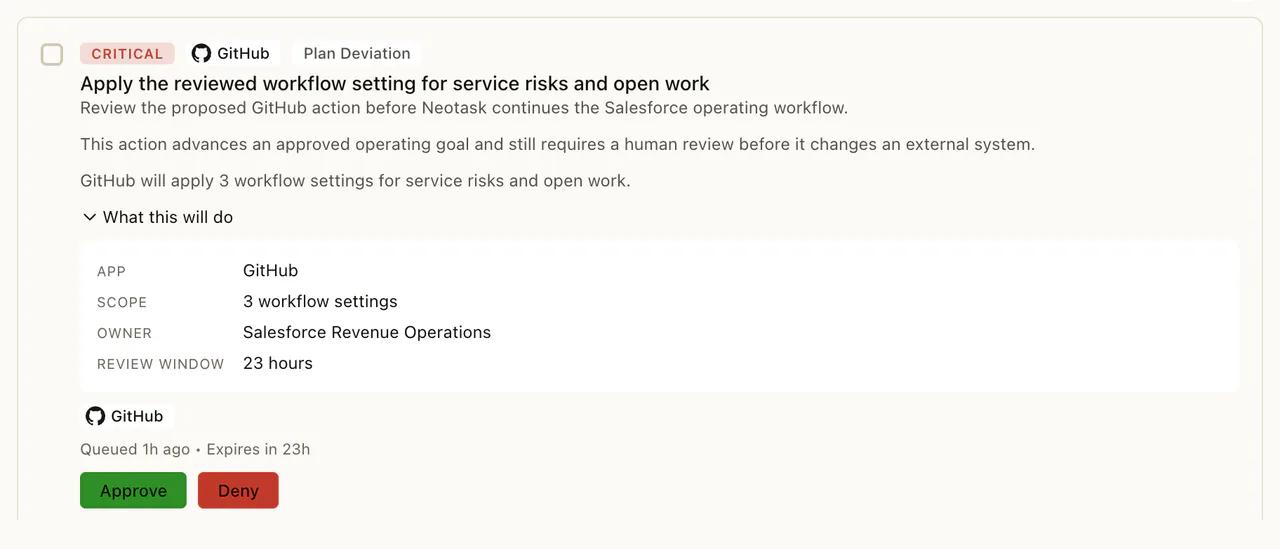
- Open the company Approvals page.
- Open the waiting item.
- Read the requested action and review context.
- Approve or deny it according to the company policy.
Resolution Path 6: Human Escalation
Use this when:
- support identity is ambiguous
- docs do not cover the behavior
- the state is contradictory
- the issue touches enterprise or autonomous-company flows that are not fully documented yet