Blog
Follow An Article From Draft To Publish
- Open the company and select SEO & Blogs.
- Open the pipeline to see the article's current stage.
- Select an article to review its content, sources, and SEO checks.
- Publish only after the review state is complete.
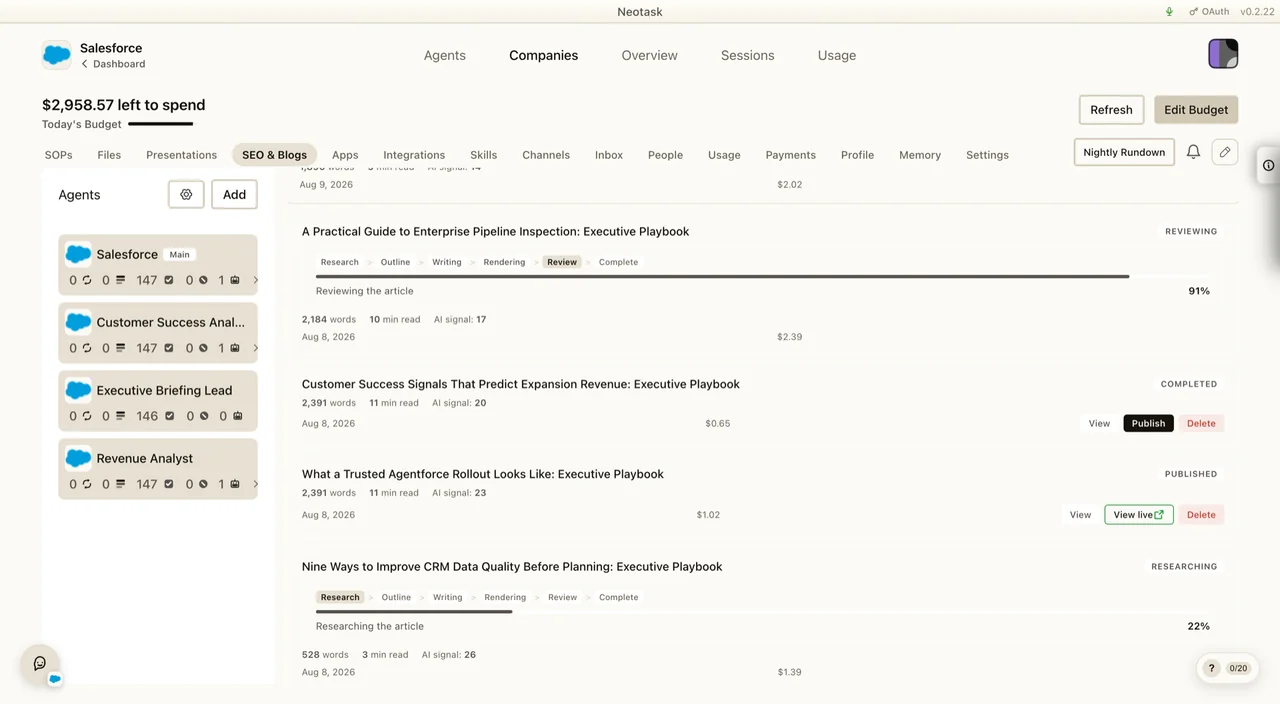
Neotask blog publishes insights, tutorials, product updates, and guides about AI agents, automation, and the Neotask platform.
Accessing the Blog
- From the website: Click "Blog" in the top navigation bar at neotask.ai
- Direct URL: neotask.ai/blog
- Localized URLs: The blog is available in all 21 supported languages. Localized versions are
at
neotask.ai/{lang}/blog, for example:
Browsing Articles
Article Grid
The blog index displays articles in a responsive grid of cards. Each card shows:
- Cover image: article thumbnail
- Headline: article title
- Category pill: colored badge showing the article's category
- Reading time: estimated time to read the full article
12 articles are shown per page. Use the pagination controls at the bottom of the page to navigate between pages.
Filtering by Category
At the top of the blog index, you'll see category pills, one for each available category.
- Click any category pill to filter articles to that category only
- The URL updates to
/blog/category/{category-slug}(e.g./blog/category/tutorials) - Click "All" to clear the filter and show all articles
Filtering by Tag
Tags appear on individual article pages. Click any tag to view all articles with that tag.
Tag-filtered views are at /blog/tag/{tag-slug}.
Searching Articles
A search bar appears at the top of the blog index.
- Type a keyword to search across article titles and content
- Results update as you type
- Clear the search to return to the full article list
Reading an Article
Click any article card to open the full article at /blog/{article-slug}. The article page includes:
- Full headline and publication metadata at the top
- Reading time estimate: how long the article takes to read
- Table of contents: a sidebar on the right (desktop) listing all sections. Click any section to jump to it. Hidden on mobile.
- Article body: full content with formatted text, images, code blocks, and tables
- Sources section: external references cited in the article. If there are 3 or more sources, they are compacted into an inline paragraph to save space.
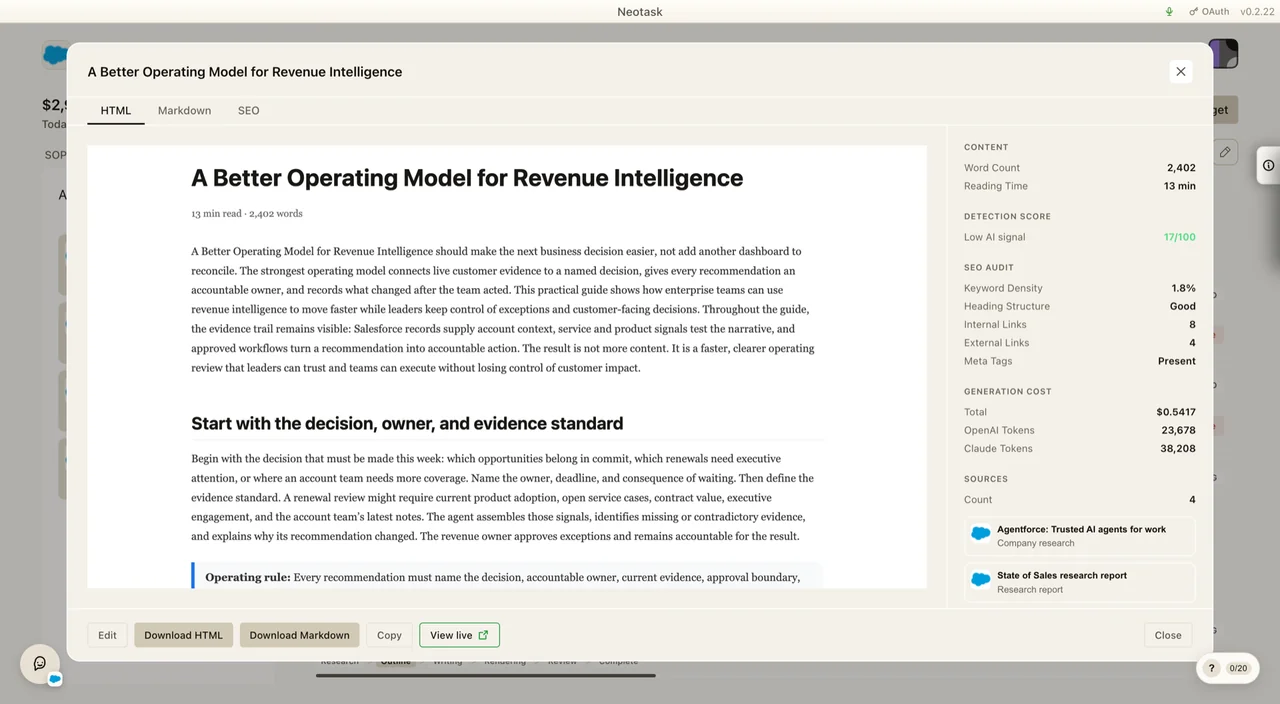
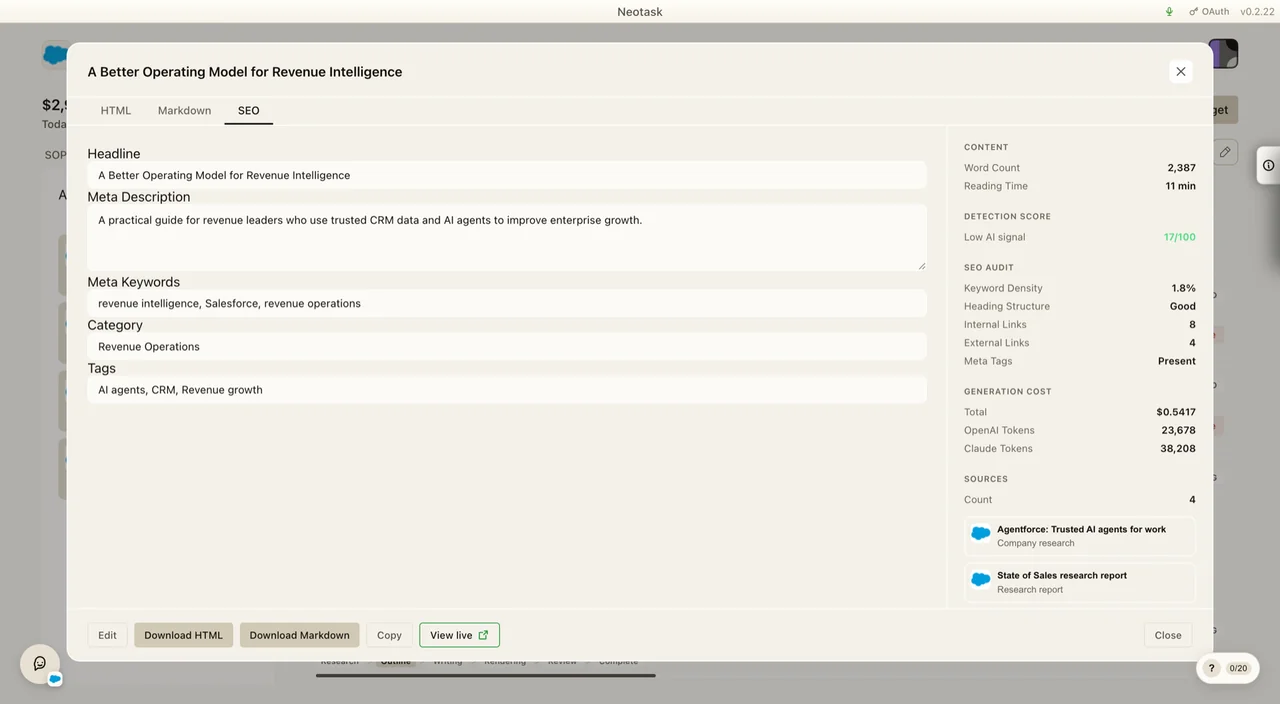
The SEO review records the article checks separately from the writing surface. Review it before publishing.
Multi-Language Support
Blog content is available in 21 languages: English, Spanish, French, German, Italian, Portuguese (BR), Russian, Chinese (Simplified & Traditional), Japanese, Korean, Hindi, Arabic, Dutch, Polish, Indonesian, Thai, Vietnamese, Swedish, Turkish, and Ukrainian.
- Your language is auto-detected from your browser locale
- Switch languages using the site language selector
- Some articles may not be available in all languages; you'll see the English version as fallback