Neotask SOP Retrieval Troubleshooting
Verify The Procedure And Its Source
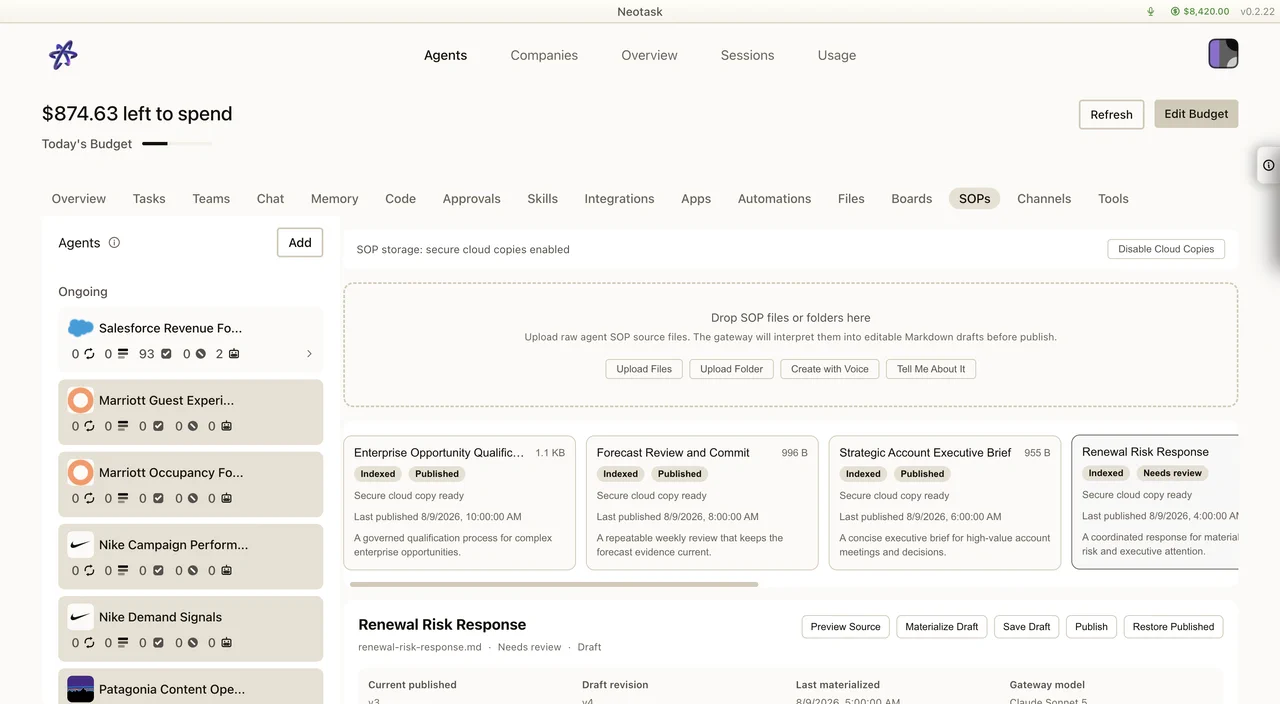
- Open SOPs and select the procedure.
- Confirm the active version and publication state.
- Open the related run and inspect the cited source.
- Review a pending revision before publishing it.
Use this page when the caller says:
- “My agent isn’t using my SOP.”
- “I uploaded an SOP but the company ignored it.”
- “An SOP I just published isn’t showing up in the work.”
- “How do I approve the SOP my agent proposed?”
How SOPs Are Meant To Work
Two things to keep in the back of your mind before troubleshooting:
- A company follows its published SOPs. A draft, including an SOP an agent proposed, is not active until a person publishes it.
- When an agent starts work, the company automatically attaches the SOPs that are most relevant to that task. The caller does not have to point an agent at a specific SOP; the right ones are found by meaning.
So “the agent isn’t using my SOP” is almost always one of: the SOP is not published, it is in a different company, or it simply was not the most relevant guidance for that particular task.
First Checks (in order)
1. Is the SOP actually published?
The most common cause. A proposed or uploaded SOP that is still a pending draft is not yet active guidance.
Have the caller open the company and go to the SOPs tab:
- if the SOP is a pending draft (for example one an agent proposed), they need to review and publish it
- if it was uploaded but never published, the same applies
Once published, it becomes active operating guidance.
2. Is it in the right company?
SOPs are scoped to one company. A company only ever uses its own SOPs.
Confirm the SOP lives in the same company the caller is running the work in. An SOP published in Company A will never appear for Company B.
3. Was it just published?
Newly published SOPs become available to retrieval right away, matching updates on publish, so a fresh SOP can be picked up on the very next task. There is no long wait.
If the caller published an SOP and then re-ran a task, the new SOP should be eligible immediately. If a task was already in flight when they published, have them start a fresh task or action so the new guidance is considered.
4. Was this task simply not relevant to that SOP?
Open the source review for the related run. It shows which procedure and supporting material the agent actually received.
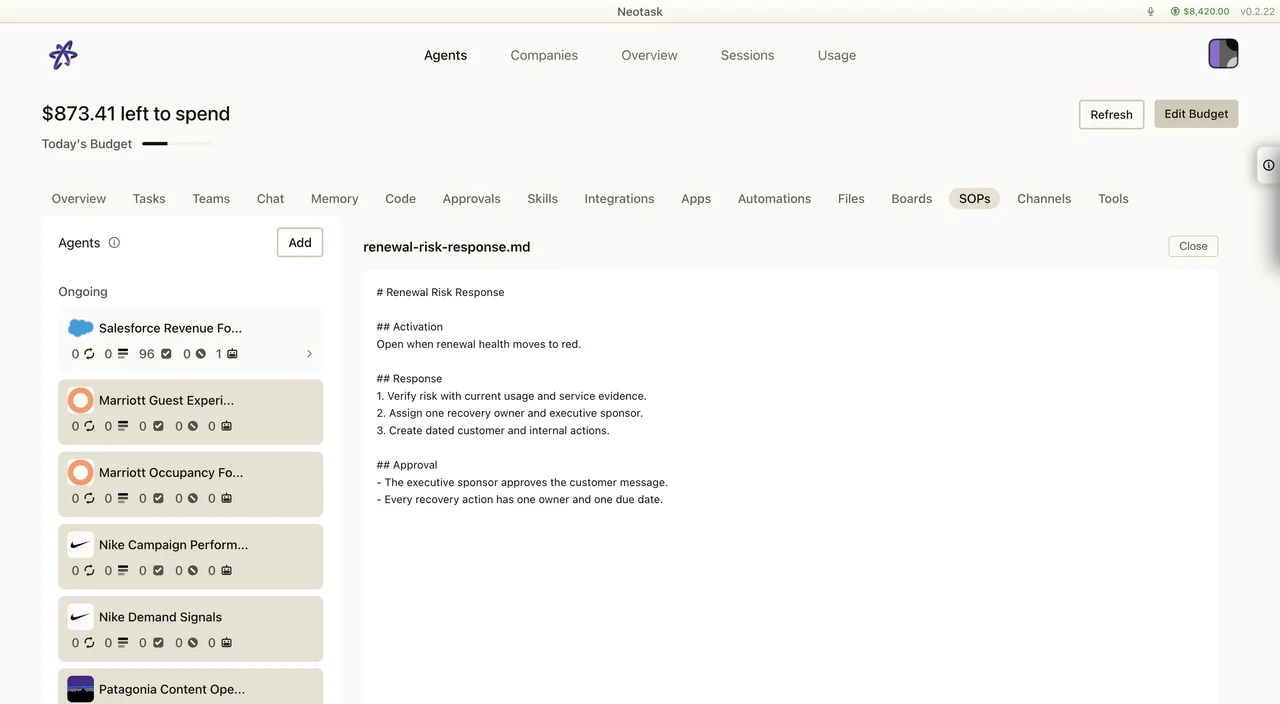
The company attaches the SOPs that best fit the task by meaning. If an SOP did not show up for a given task, it may be because that task was not closely related to it, not because anything is broken.
Have the caller try a task that clearly relates to the SOP’s subject. If relevant SOPs attach there, retrieval is working as designed.
“An Agent Proposed An SOP, How Do I Approve It?”
When the proposal changes an existing procedure, use the diff to review the exact additions and removals before publishing.
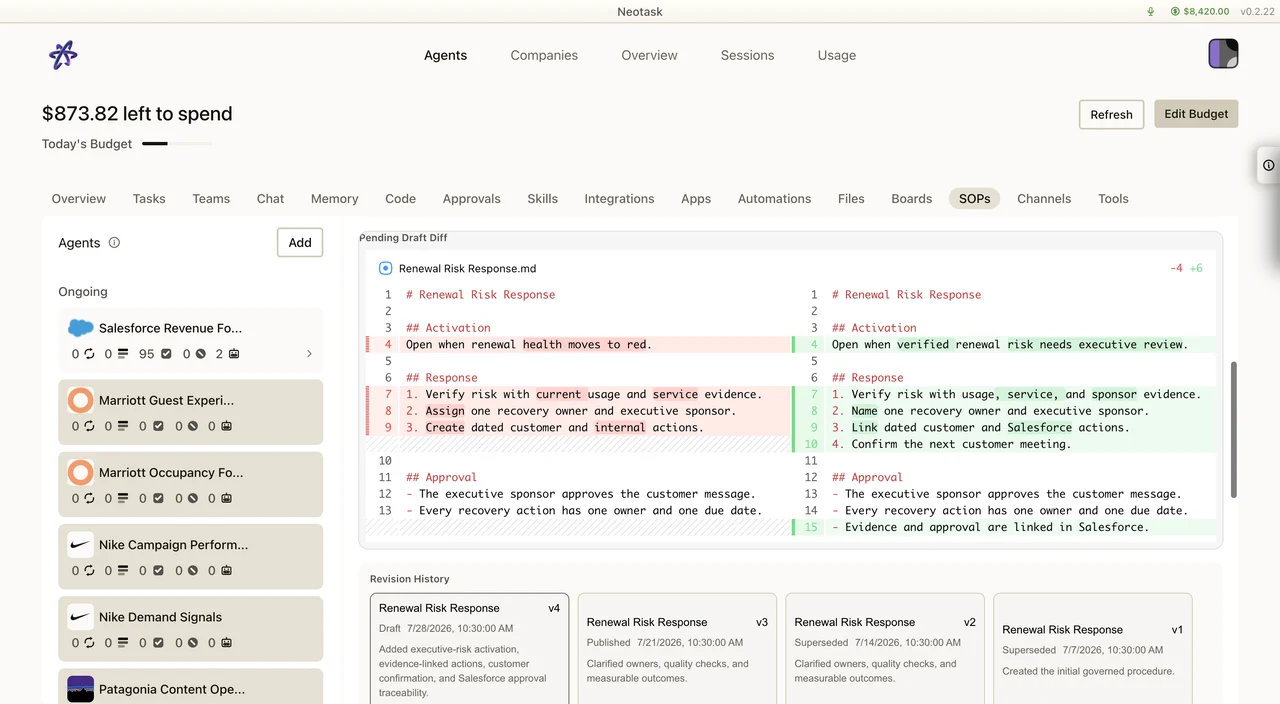
Route the caller to the SOPs tab in the company.
- open the company → SOPs
- find the pending draft the agent proposed
- review it, if it updates an existing SOP, they can use the diff to see exactly what changed
- choose to approve / publish, edit then publish, or discard
Only after they publish does it become guidance the company follows.
Good To Know: Graceful Fallback
Retrieval is built so SOPs never simply “stop working.” If the meaning-based matching is momentarily unavailable, the company falls back to the older keyword-based selection and still attaches SOPs to the agent. So a caller will not hit a state where no SOPs are applied at all, at worst, matching is briefly less precise, then recovers on its own. This is not something the caller needs to act on.
When To Escalate
Escalate only after the first checks pass, that is, when the caller confirms:
- the SOP is published (not a draft), and
- it is in the same company they are running work in, and
- they ran a task that is clearly relevant to the SOP’s subject, and
- relevant SOPs are still not being applied across multiple fresh tasks
At that point it is no longer a setup or expectations issue, and the case should be escalated with the company name, the SOP in question, and an example task where the relevant SOP was not applied.