Neotask Autonomous Companies Support
Use The Company Screens In This Order
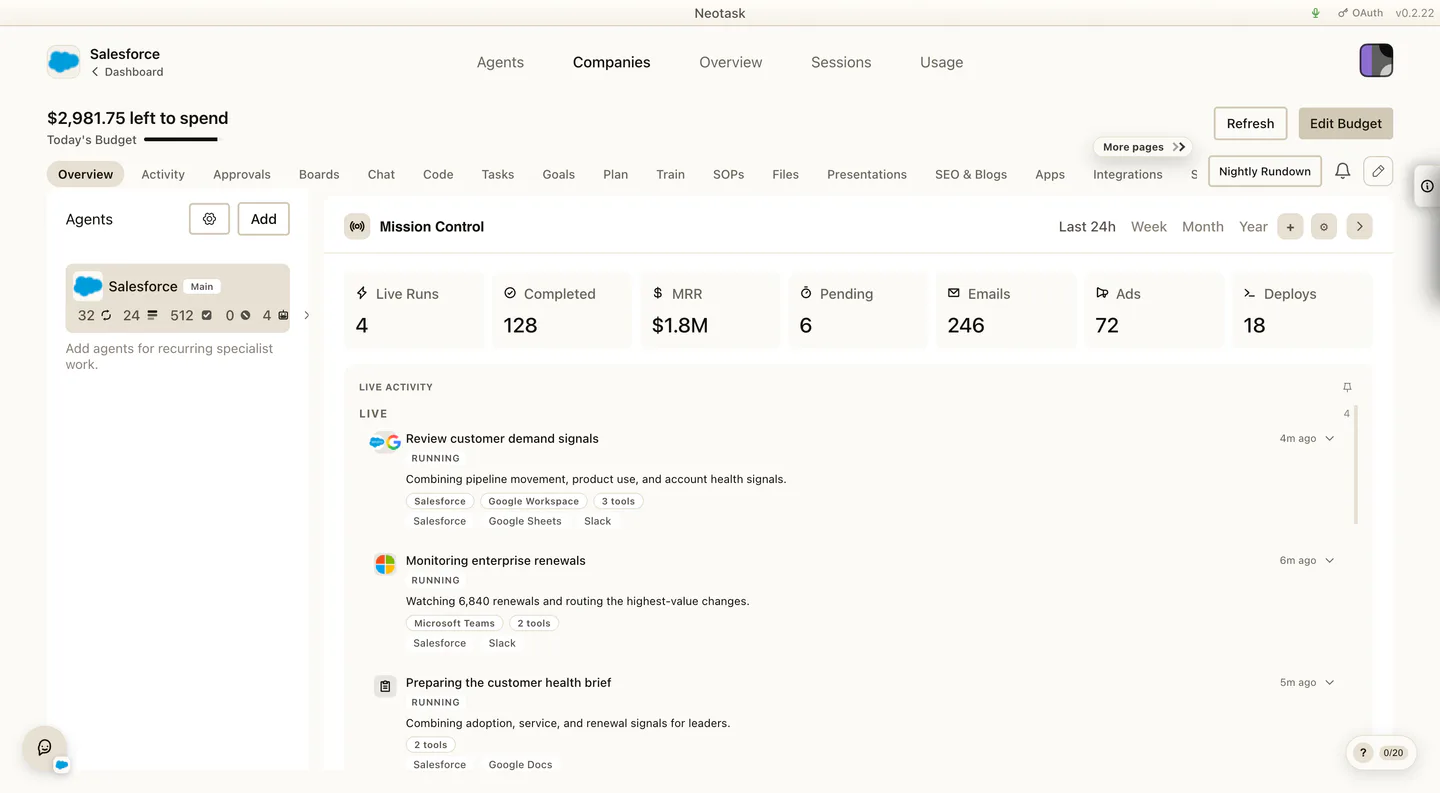
- Open Overview for live and recent work.
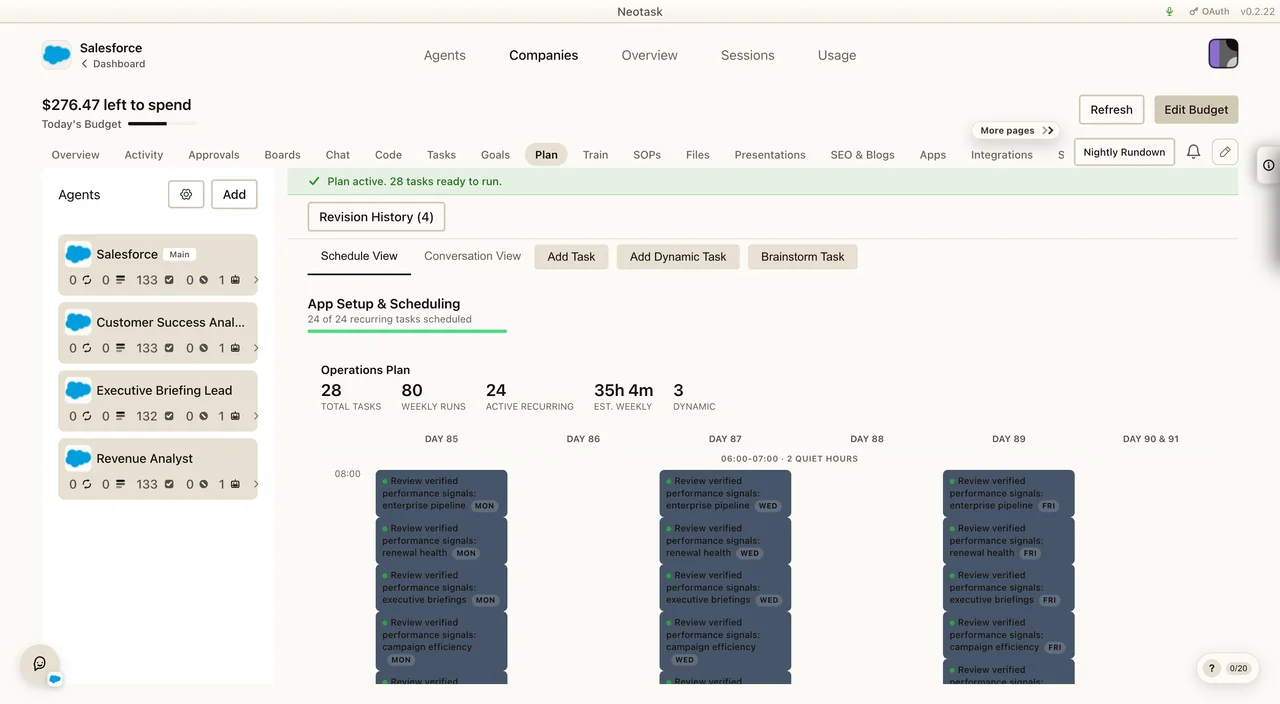
- Open Plan for scheduled and recurring work.
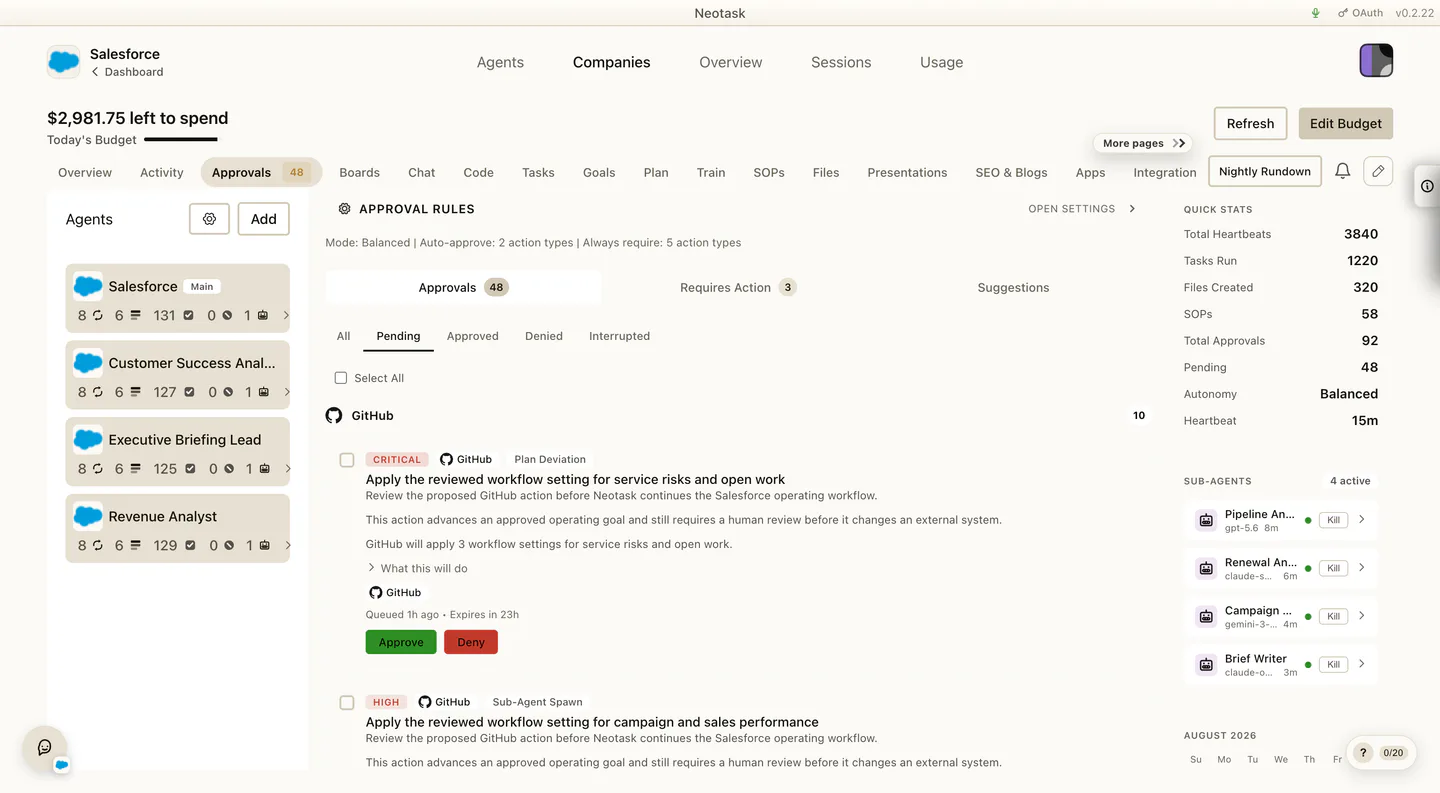
- Open Approvals for actions waiting on a person.
- Open the run or task detail for the complete history.
Use this page when the caller needs help with the Auto area, either:
- creating a company
- finishing setup after onboarding
- finding the right company tab
- understanding what one company can do
This page is the high-level support map for autonomous companies.
Core Navigation
The main path is:
- Click Auto
- either start a new company or open an existing one
- work from the company dashboard list or the open company detail view
Company Access Rule
Company workspaces require a plan with company access.
Current support guidance:
- Free users can onboard or preview a company, but they cannot actually run company tasks or automations. If they enter the company dashboard, the company should remain locked on the plan/upgrade flow until they have at least an Individual subscription.
- Individual or higher is the minimum paid subscription gate for company operation.
- Business supports one active company workspace
- Enterprise supports broader company usage and expansion
If the caller cannot create a company and sees an upgrade flow, this is the first thing to confirm.
The Current Auto Lifecycle
Use Plan to confirm the scheduled work and current operating controls. This screen answers planning and schedule questions without mixing them with live activity.
Support should think about Auto as a sequence:
- onboarding
- plan review
- company dashboard setup
- ongoing operation
Many callers think onboarding ends everything. In the current product, onboarding creates the company and opens the company on the Plan tab, but the caller may still need to finish setup inside the company dashboard before autonomy should start.
What Support Can Help With
Support can guide users through:
- choosing the right onboarding path
- understanding the plan step
- finding the correct dashboard tab
- connecting company apps
- connecting company Google Workspace integrations
- reviewing approval policy
- managing files and SOPs
- approving an SOP an agent proposed
- understanding why an agent is or is not using a given SOP
- handling employees and channels
- checking memory and usage
- understanding why the company is not ready to start yet
The Current Company Tabs
Once a company is open, support should expect these tabs:
- Overview
- Activity
- Chat
- SOPs
- Approvals
- Plan
- Tasks
- Files
- SEO & Blogs
- Apps
- Employees
- Profile
- Integrations
- Channels
- Skills
- Memory
- Usage
- Settings
Outside the tab list, support should also know about:
- the left-side Controls rail
- Nightly Rundown
- the right-side quick stats and mini calendar
- the notification bell
- the floating company chat widget
The Most Important Current Splits
Apps vs Integrations
Do not blend these together.
- Apps is the company app surface.
- Integrations is the company Google Workspace surface.
SOPs vs Files
Do not blend these together.
- SOPs is the operating-guidance surface.
- Files is the broader company file and generated-artifact surface.
Onboarding vs Plan Setup
Do not assume onboarding means the company is fully ready to run.
After onboarding, the caller may still need to:
- refine the plan
- connect missing tools
- configure channels
- assign employees
- review approval policy
Company Settings vs Main App Settings
Do not send callers to the top-right app settings when they need the company settings inside one company dashboard.
High-Risk Support Areas
Open Approvals when a caller reports that an action is waiting or did not run. The queue shows the owner and status before support opens the requested action.
The most common areas where support should route carefully are:
- approval mode changes
- per-app approval rules
- Google Workspace connection scope
- app connection scope
- budget and heartbeat controls
- notification preferences and nightly rundown delivery
- public live visibility and redaction
- task editing
- company channels and phone routes
- managed website files and website state
- plan-setup blockers that stop the company from starting
Common Caller Intents
Examples this page should help route:
- “Why can’t I create a company?”
- “I finished onboarding. Why can’t I start it yet?”
- “Where do I connect Gmail for this company?”
- “Where do I connect Stripe for this company?”
- “Where do I upload SOPs?”
- “An agent proposed an SOP, how do I approve it?”
- “Why isn’t the company using my SOP?”
- “Where do I see files the company created?”
- “Where do I change approvals for this company?”
- “Where do I add the people the company should contact?”
- “Where do I configure the company’s channels?”
- “Where do I open the nightly summary?”