Neotask Apps Vs Integrations Authentication Paths
Compare The Two Surfaces
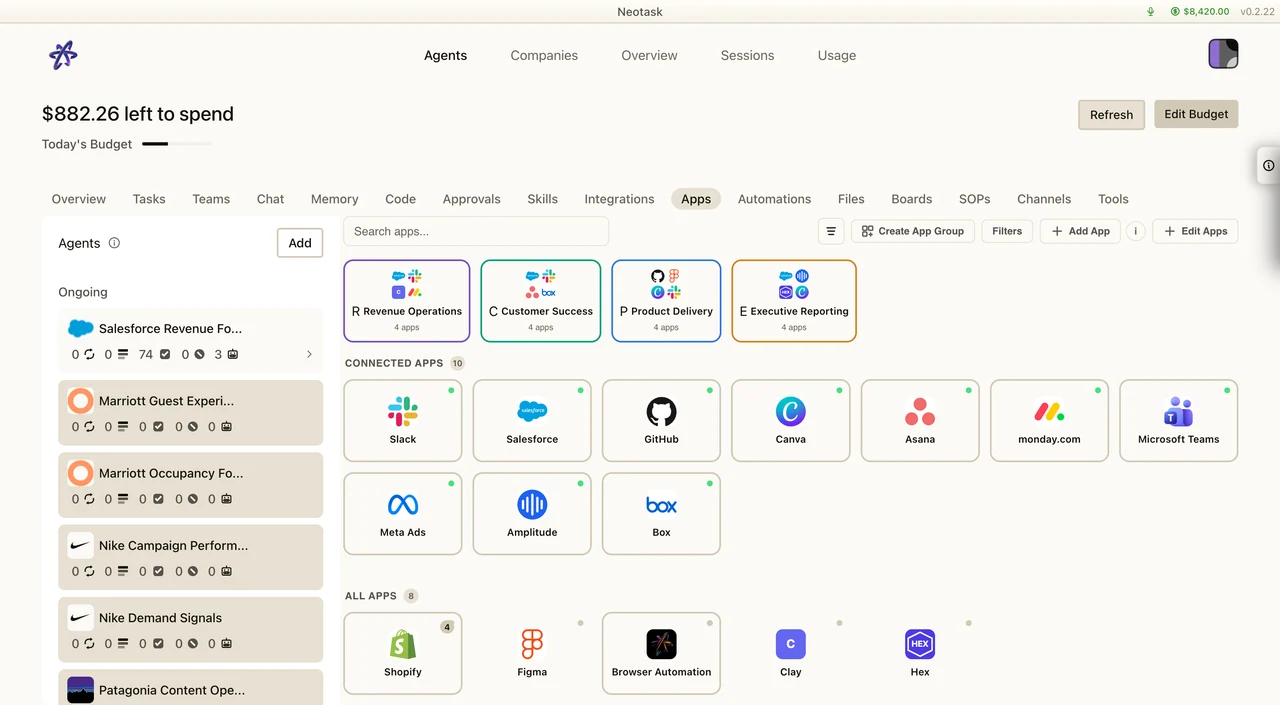
Use Apps for agent tools and app-specific authentication. Use the company integration surface for company-wide connected accounts and services.
Use this page when the caller says:
- “Should I use Apps or Integrations?”
- “Where do I connect Stripe?”
- “Where do I connect Gmail for one company?”
- “This uses OAuth too. Which page is the right one?”
The Core Split
Support should not blur these two surfaces:
- Apps
- company app connections
- company app recommendations
- app groups
- company-scoped app auth for non-Google providers
- Integrations
- company Google Workspace services
- Gmail, Calendar, Docs, Sheets, Drive, and related built-in company Google access
The fact that both may use an auth flow does not mean they are the same page.
Exact Path For Company Apps
Use this path when the caller needs a company app provider.
- Click Auto
- open the company
- click Apps
- open the target app card
- continue with the app connection flow there
Use this for providers that belong in the app catalog rather than the built-in Google Workspace surface.
Exact Path For Company Google Integrations
Use Company → Integrations for the shared Google service connections shown below. This screen is separate from the agent app catalog.
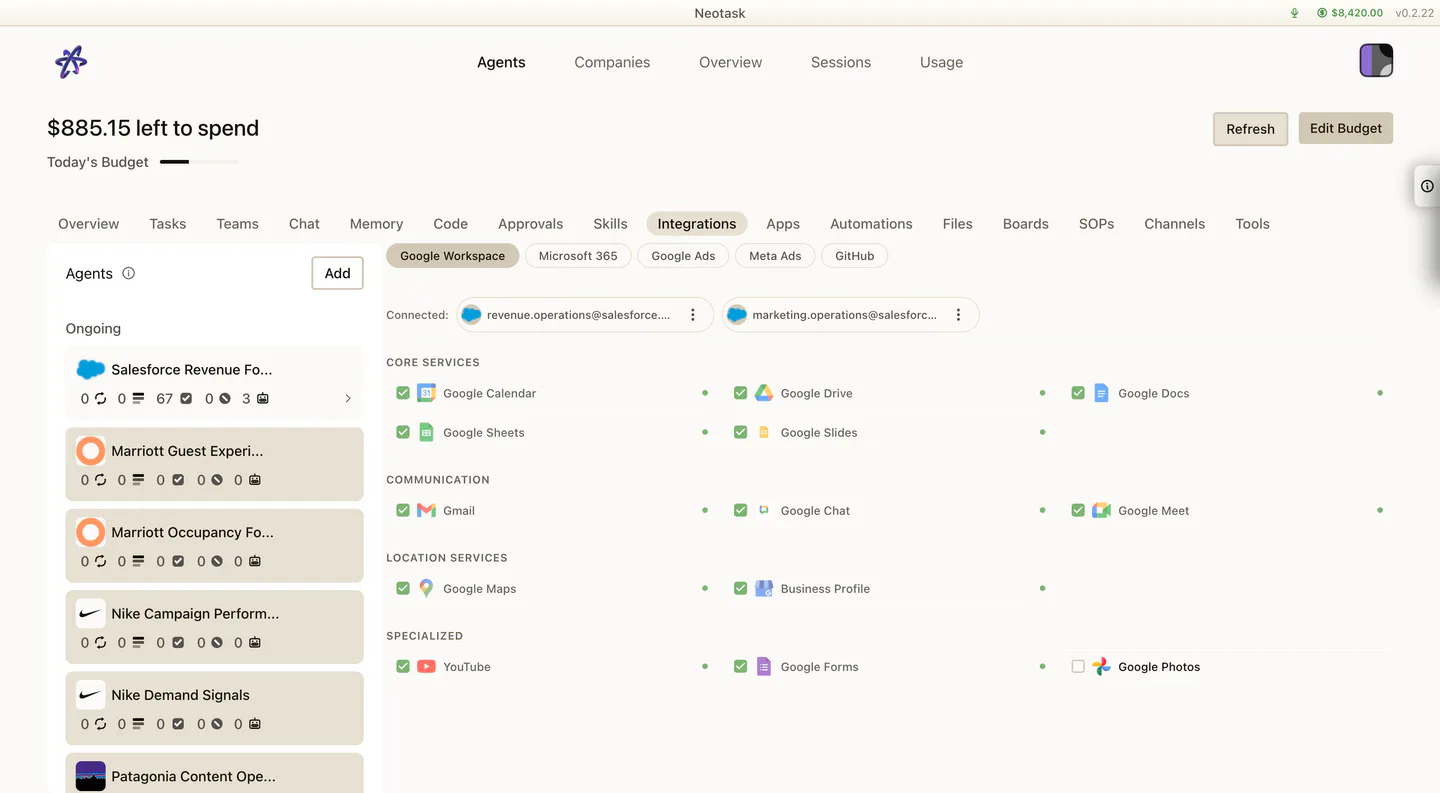
Use this path when the caller needs company Google Workspace access.
- Click Auto
- open the company
- click Integrations
- select the Google services
- use Authorize & Connect, Connect as, or Add new
Onboarding Note
The same split appears during onboarding:
- the Apps step is for company apps and tool selection
- the Integrations step is for company Google Workspace access
So if the caller is still setting the company up, the same rule still applies.
Quick Decision Rule
- If the caller says Gmail, Calendar, Docs, Sheets, or Drive: use Integrations
- If the caller says company app, provider card, recommendation, or app group: use Apps